# Getting Started
> Get started with psLens: install the SWS framework, deploy psLens, and connect it to your PeopleSoft environment in minutes.
---
Site [llms.txt](/llms.txt)
---
## Getting Started with psLens
Install SWS in PeopleSoft, run the psLens container, point it at SWS, log in. The pages in order:
### Overview
psLens is a single self-contained application: a Go binary that serves the web interface and stores report data locally. There is no separate database to manage. It connects to your PeopleSoft environment through the **SWS (Secure Web Services) framework**, which you must [install and configure in PeopleSoft](https://sws.books.cedarhillsgroup.com/docs/installation/installation/) first.
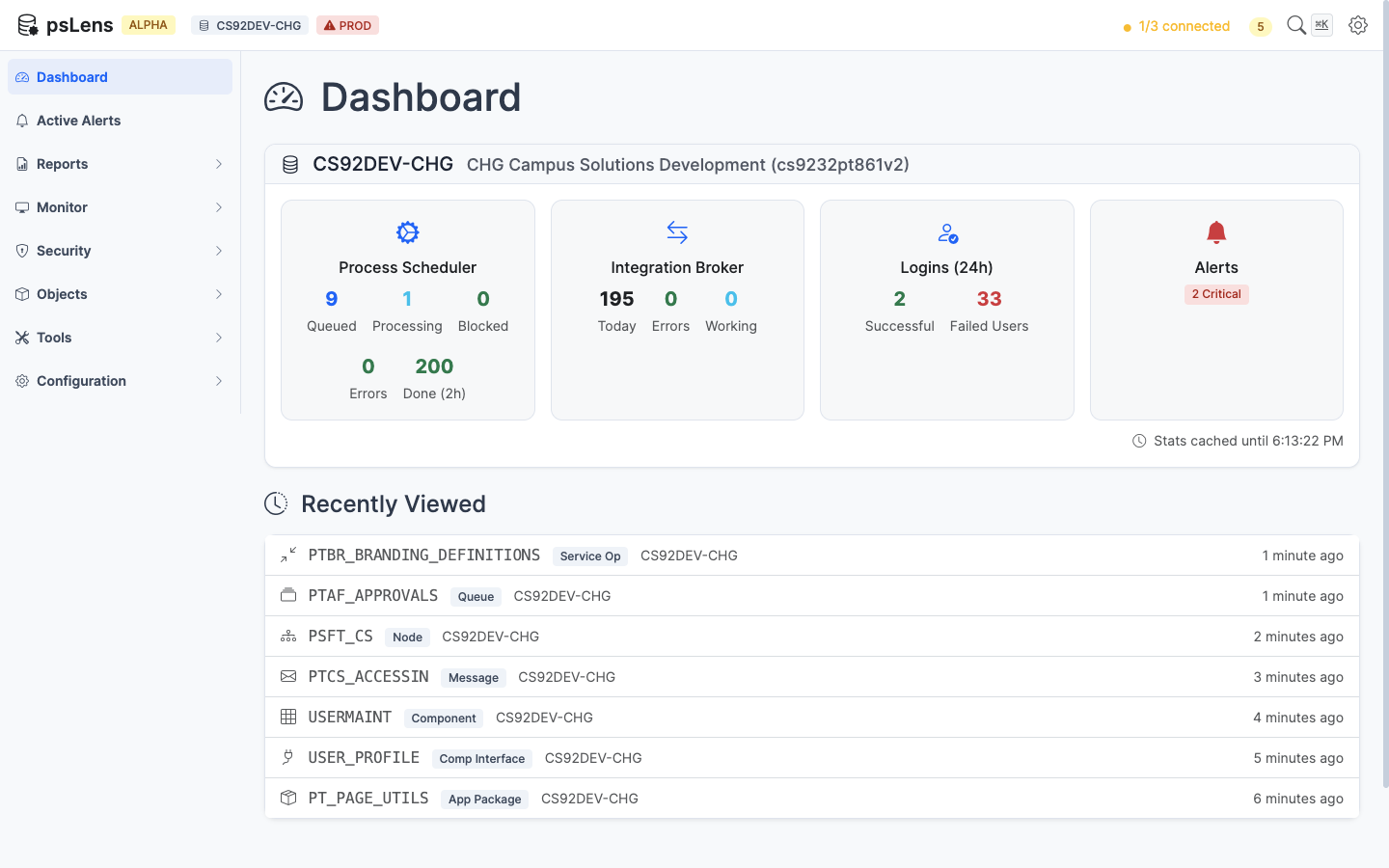
The psLens dashboard — your starting point for monitoring PeopleSoft environments
> **Hosting psLens in production?** Read [Deployment Options](/docs/getting-started/deployment-options/) for HTTPS, version pinning, backups, and upgrade paths.
### Setup Steps
1. **[Read the Architecture Overview](/docs/getting-started/architecture/)** to see how the pieces fit together
2. **[Install the SWS Framework](/docs/getting-started/installation/#step-1-install-the-sws-framework-in-peoplesoft)** in your PeopleSoft environment
3. **[Install psLens](/docs/getting-started/installation/#step-2-install-pslens)** on your server
4. **[Configure psLens](/docs/getting-started/configuration/)** with your database connection details
5. Start psLens and open the dashboard in your browser
### Quick Start
After you install the SWS framework in PeopleSoft:
```bash
# Create a directory for psLens
mkdir pslens && cd pslens
# Create config.yaml with your PeopleSoft connection details
# (see Configuration for full details)
# Start psLens with Docker
docker compose up -d
# Open http://localhost:8080 in your browser
```
## Not Ready to Install Yet?
If you are still evaluating architecture, security, or operator workflow, see it running first. A live demo is the quickest way to answer fit questions before you commit to an install path.
---
Section pages:
- [Architecture Overview](/docs/getting-started/architecture/): How psLens connects to PeopleSoft: a small SWS framework inside your PeopleSoft environment, and a psLens Docker container hosted externally.
- [Installation](/docs/getting-started/installation/): psLens uses a Cedar Hills Group, Inc. web service inside your PeopleSoft environment to connect to the psLens web application. This page describes how to install and configure the SWS framework for psLens.
- [Whitelist Tables](/docs/getting-started/whitelist-tables/): psLens controls which PeopleSoft tables can be queried through a whitelist table (CHG_PSLENS_WL). You need to whitelist every table that psLens reads.
- [Configuration](/docs/getting-started/configuration/): psLens reads a config.yaml file from the same directory as the binary.
- [Deployment Options](/docs/getting-started/deployment-options/): This page is for clients who want to host psLens themselves in a Docker container. It covers three questions in order:
- [IP & CIDR Allowlist](/docs/getting-started/ip-allowlist/): Restrict hosted psLens instance access strictly to authorized corporate IP addresses and CIDR subnets.
- [SSO & OIDC Discovery](/docs/getting-started/oidc-onboarding/): Set up native Single Sign-On (SSO) using OpenID Connect discovery for Microsoft Entra ID, Okta, Google Workspace, Keycloak, or Auth0.
- [Webhook Integrations (Slack, Microsoft Teams & Google Chat)](/docs/getting-started/webhook-integrations/): Configure incoming webhooks for Google Chat, Slack, and Microsoft Teams to deliver real-time PeopleSoft alerts and scheduled report notifications.