# Components

> Browse PeopleSoft component definitions with pages, menus, portal paths, CIs, records, and PeopleCode in one view.

---

Site [llms.txt](/llms.txt)

---

<div id="pslens-context-panel" class="card border-info mb-4 d-none">
  <div class="card-header bg-light text-info py-2 fw-bold d-flex align-items-center border-bottom border-info-subtle">
    <i class="bi bi-info-circle-fill me-2"></i>
    <span>Tailored Operational Context</span>
  </div>
  <div class="card-body p-0">
    <ul class="list-group list-group-flush">
      <li id="row-db" class="list-group-item d-flex align-items-center justify-content-between py-2 d-none">
        <strong>Target Database:</strong>
        <span id="ctx-db" class="badge bg-secondary font-monospace">&mdash;</span>
      </li>
      <li id="row-type" class="list-group-item d-flex align-items-center justify-content-between py-2 d-none">
        <strong>Context Type:</strong>
        <span id="ctx-type" class="badge bg-light text-dark border font-monospace text-uppercase">&mdash;</span>
      </li>
      <li id="row-severity" class="list-group-item d-flex align-items-center justify-content-between py-2 d-none">
        <strong>Alert Severity:</strong>
        <span id="ctx-severity" class="badge">&mdash;</span>
      </li>
      <li id="row-time" class="list-group-item d-flex align-items-center justify-content-between py-2 d-none">
        <strong>Triggered Time:</strong>
        <span id="ctx-time" class="text-muted small">&mdash;</span>
      </li>
      <li id="row-details" class="list-group-item py-2 d-none">
        <strong id="label-details" class="d-block mb-1">Firing Context:</strong>
        <code id="ctx-details" class="d-block p-2 bg-light border rounded small"
          style="white-space: pre-wrap; word-break: break-all;">&mdash;</code>
      </li>
      <li id="row-sql" class="list-group-item py-2 d-none">
        <div class="d-flex justify-content-between align-items-center mb-1">
          <strong id="label-sql">Contextual SQL:</strong>
          <button id="btn-copy-sql" type="button" class="btn btn-sm btn-outline-secondary py-0 px-2 small">
            <i class="bi bi-clipboard me-1"></i>Copy SQL
          </button>
        </div>
        <pre class="mb-0 p-2 bg-light border rounded small"><code id="ctx-sql" style="white-space: pre-wrap; word-break: break-word;">&mdash;</code></pre>
      </li>
    </ul>
  </div>
</div>

<script>
  (function () {
    const params = new URLSearchParams(window.location.search);
    const metadata = params.get('metadata');
    if (!metadata) return;

    try {
      
      const base64 = metadata.replace(/-/g, '+').replace(/_/g, '/');
      const jsonStr = decodeURIComponent(escape(window.atob(base64)));
      const data = JSON.parse(jsonStr);

      if (data) {
        let hasData = false;

        if (data.db) {
          document.getElementById('ctx-db').textContent = data.db;
          document.getElementById('row-db').classList.remove('d-none');
          hasData = true;
        }

        if (data.type) {
          document.getElementById('ctx-type').textContent = data.type;
          document.getElementById('row-type').classList.remove('d-none');
          hasData = true;
        }

        if (data.severity) {
          const severityBadge = document.getElementById('ctx-severity');
          const severity = data.severity.toLowerCase();
          severityBadge.textContent = severity.toUpperCase();
          if (severity === 'critical') {
            severityBadge.className = 'badge bg-danger';
          } else if (severity === 'warning') {
            severityBadge.className = 'badge bg-warning text-dark';
          } else {
            severityBadge.className = 'badge bg-info';
          }
          document.getElementById('row-severity').classList.remove('d-none');
          hasData = true;
        }

        if (data.t) {
          const date = new Date(data.t * 1000);
          document.getElementById('ctx-time').textContent = date.toLocaleString();
          document.getElementById('row-time').classList.remove('d-none');
          hasData = true;
        }

        if (data.details) {
          document.getElementById('ctx-details').textContent = data.details;

          
          const labelDetails = document.getElementById('label-details');
          if (data.type === 'object') {
            labelDetails.textContent = 'Object Metadata Details:';
          } else if (data.type === 'report') {
            labelDetails.textContent = 'Report Description:';
          } else {
            labelDetails.textContent = 'Firing Context:';
          }

          document.getElementById('row-details').classList.remove('d-none');
          hasData = true;
        }

        if (data.sql) {
          document.getElementById('ctx-sql').textContent = data.sql;
          document.getElementById('row-sql').classList.remove('d-none');
          const copyBtn = document.getElementById('btn-copy-sql');
          if (copyBtn && navigator.clipboard) {
            copyBtn.addEventListener('click', function () {
              navigator.clipboard.writeText(data.sql).then(function () {
                copyBtn.innerHTML = '<i class="bi bi-check2 me-1"></i>Copied';
                setTimeout(function () {
                  copyBtn.innerHTML = '<i class="bi bi-clipboard me-1"></i>Copy SQL';
                }, 2000);
              });
            });
          }
          hasData = true;
        }

        if (hasData) {
          document.getElementById('pslens-context-panel').classList.remove('d-none');
        }
      }
    } catch (e) {
      console.error('Failed to parse operational context metadata:', e);
    }
  })();
</script>

Components (called panel groups in older PeopleTools versions) are the user-facing transactions of a PeopleSoft application: a search page plus an ordered set of detail pages that share a single save action. psLens reads `PSPNLGROUP` / `PSPNLGRPDEFN` and links the component up to its menus, portal navigation paths, exposing component interfaces, the underlying record hierarchy, and the full PeopleCode event tree.

## Object Relationships

Components unite visual pages, database records, security grants, and navigation:

- **Groups Pages**: Components (`PSPNLGRPDEFN`) assemble ordered lists of pages (`PSPNLGROUP`) into a unified transaction with shared state.
- **Driven by Search Records**: Components rely on a primary search record (`SEARCHRECNAME`) to execute key lookups and search dialogs.
- **Linked to Menus**: Components are assigned to menu items (`PSMENUITEM`) inside classic menus (`PSMENUDEFN`).
- **Targeted by CREFs & CIs**: Portal Content References (`PSPRSMDEFN`) expose components to users, and Component Interfaces (`PSBCDEFN`) expose them to API code.

## How psLens Improves Component Inspection

Tracing component metadata in Application Designer and PIA requires opening the component item list, walking page tabs to confirm record bindings, running **Find In Menus** for classic navigation links, navigating the Portal Registry browser for CREF breadcrumbs, searching for exposing Component Interfaces, and opening event PeopleCode across multiple tabs.

psLens combines component properties, page lists, classic menu links, portal registry paths, exposing Component Interfaces, scroll record hierarchies, component event PeopleCode, and project membership onto a single screen.

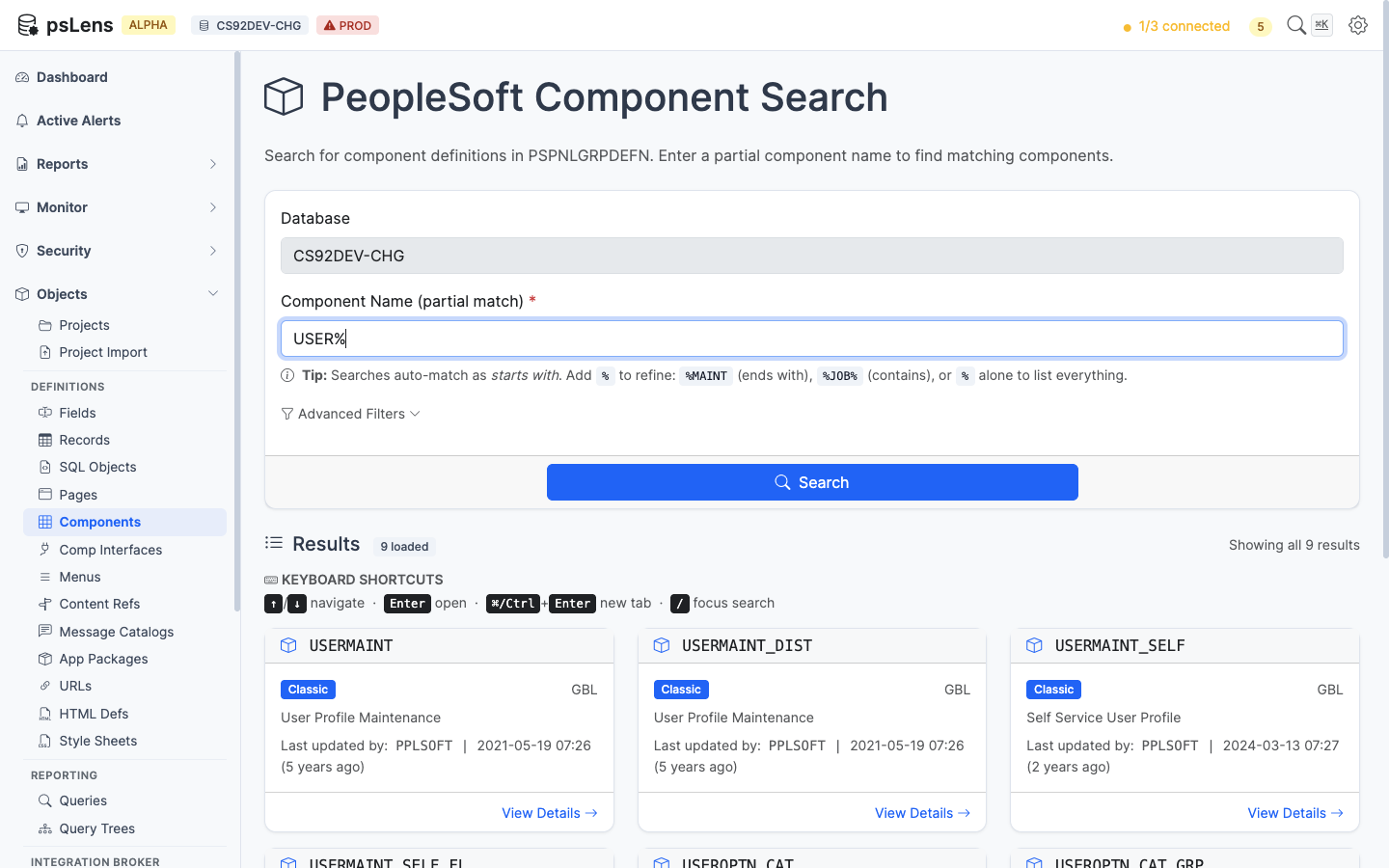
## Search Page

URL: `/components?db={database}`

<figure><img src="/images/screenshots/metadata/components-search.png"
			alt="Component search results for USER% showing USERMAINT, USERMAINT_SELF, USEROPTN_CAT and others"><figcaption>
			<p>Component search results for <code>USER%</code></p>
		</figcaption>
</figure>


Wildcard `%` search supported. Each result card shows the component market and use type (Classic, Fluid, Both). The **Advanced Filters** panel filters by market or component type.

## Detail Page

URL: `/components/{COMPONENT}?db={database}`

<figure><img src="/images/screenshots/metadata/components-detail.png"
			alt="Detail page for USERMAINT showing component properties and item list"><figcaption>
			<p>Component detail page for <code>USERMAINT</code></p>
		</figcaption>
</figure>


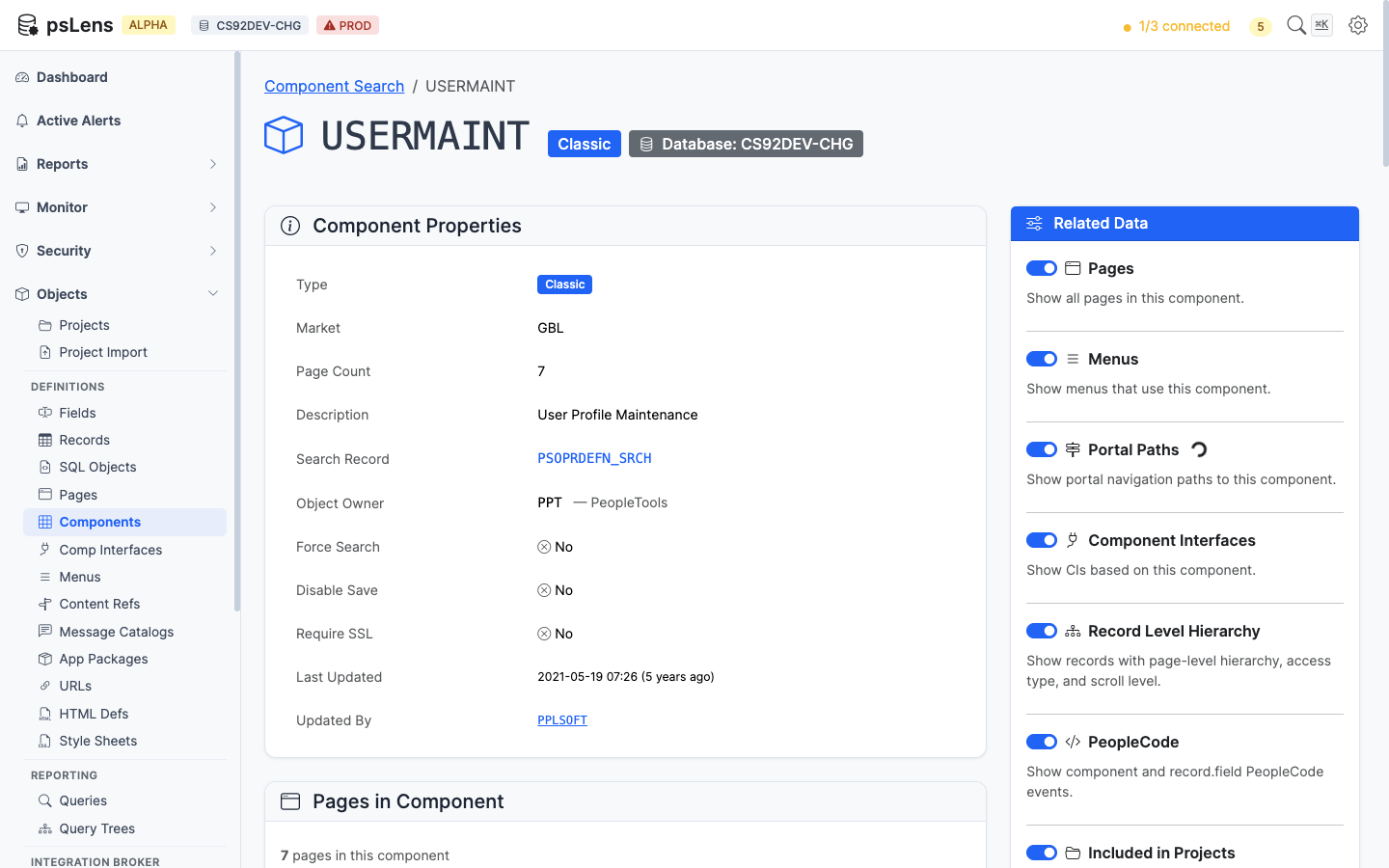
The main pane shows **Component Properties** (market, search record, add search record, item description, add/update modes, search PeopleCode flags) and the **Component Item List** with every page in the component, its labeling, and the hide/display-only flags. The sidebar has 7 related-data toggles.

A menu item can replace the component's search record with its own (`PSMENUITEM.SEARCHRECNAME`). When any menu item for the component's market does this, the **Search Record** row shows an **Overridden in N menus** badge and lists each `MENU.BAR.ITEM` with the search record it uses instead. For example, `PERSONAL_DATA` uses `PERS_SRCH_ALL`, but `ADMINISTER_WORKFORCE_(GBL)` opens it with `PERALL_SEC_SRCH`.

## Related Data Panels

### Pages in Component

<figure><img src="/images/screenshots/metadata/components-panel-pages.png"
			alt="Pages in Component panel for USERMAINT"><figcaption>
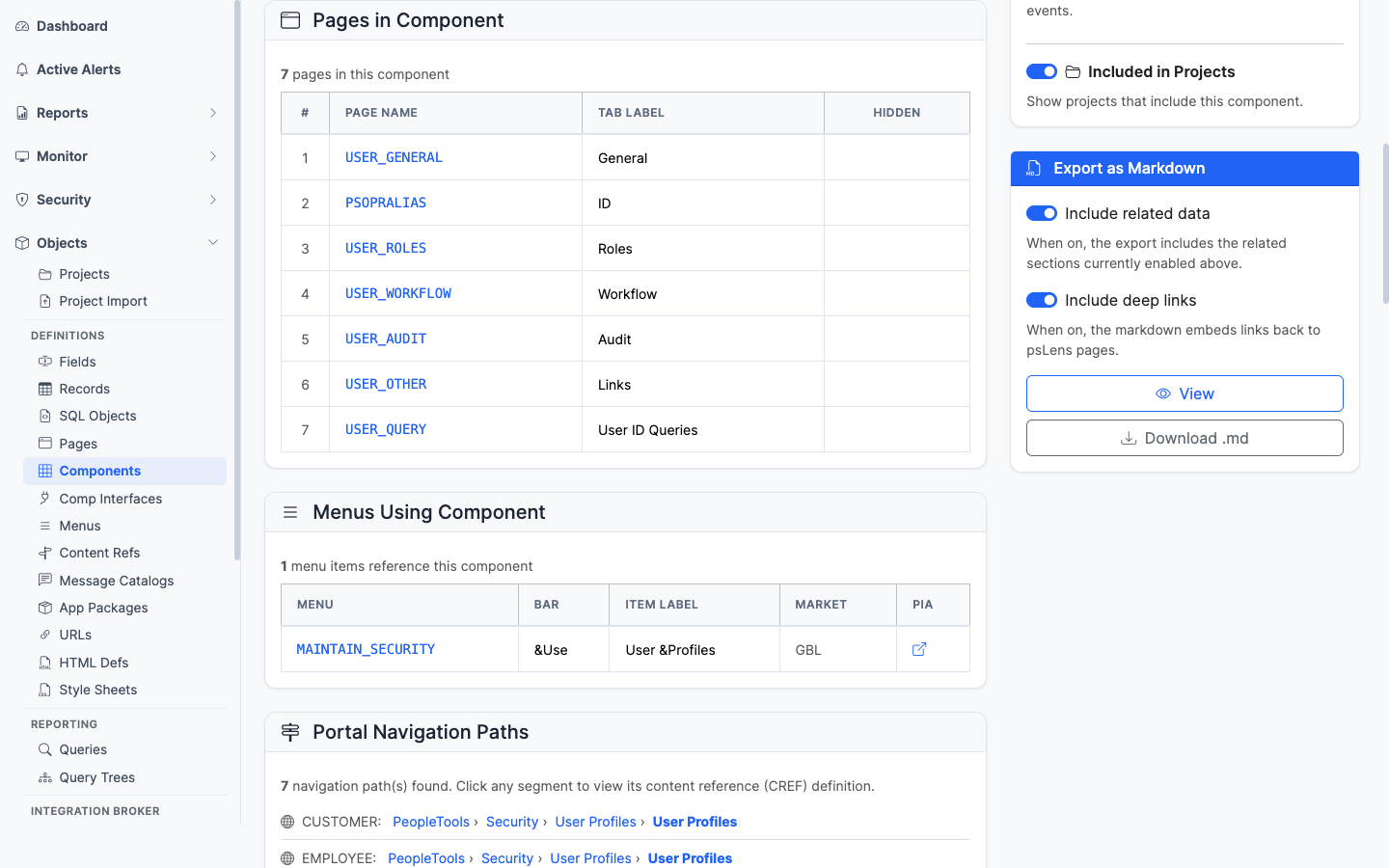
			<p>The ordered list of pages that make up this component</p>
		</figcaption>
</figure>


The page list with each page deep-linked into its own detail page.

### Menus Using Component

<figure><img src="/images/screenshots/metadata/components-panel-menus.png"
			alt="Menus Using Component panel"><figcaption>
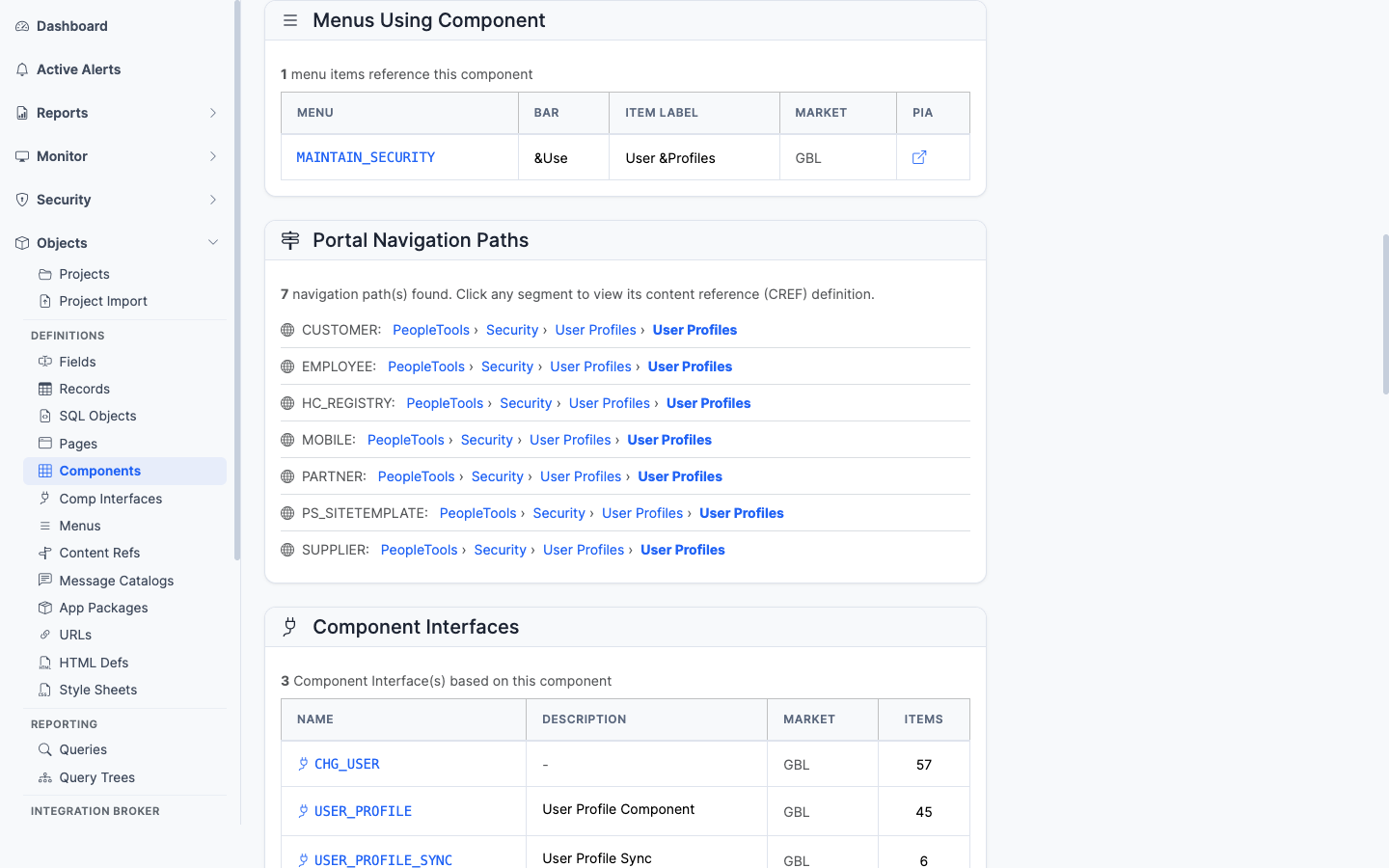
			<p>Classic menus that link to this component</p>
		</figcaption>
</figure>


Every classic menu (`PSMENUITEM`) that contains a navigation entry for this component. Important for security work since menu/component pairs drive Permission List authorizations.

The **Search Record** column shows the menu item's search record when it differs from the component's. Rows that override it carry an **Override** badge. The Markdown export includes the same column.

### Portal Navigation Paths

<figure><img src="/images/screenshots/metadata/components-panel-portal-paths.png"
			alt="Portal Navigation Paths panel"><figcaption>
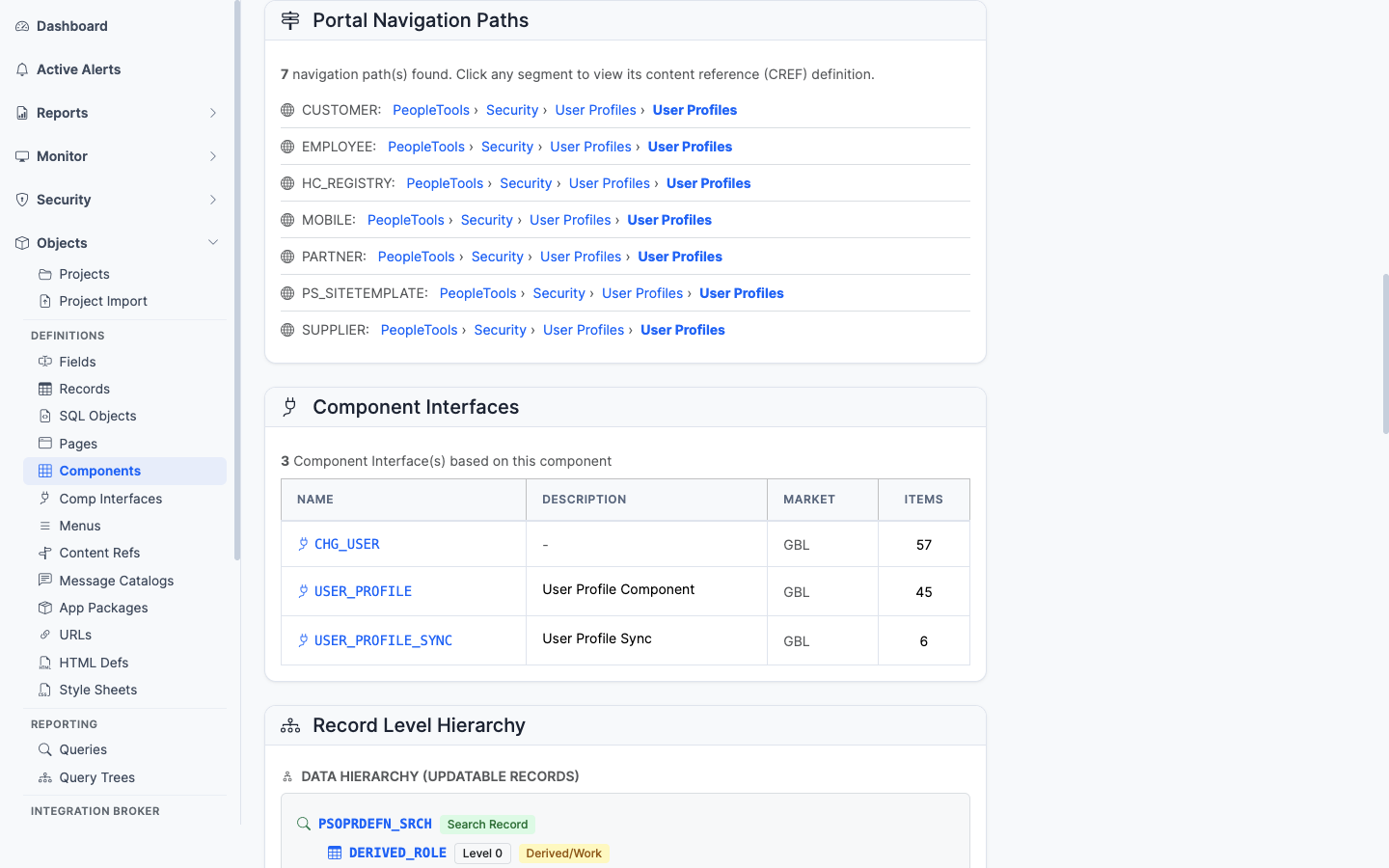
			<p>Every breadcrumb path that leads a user to this component in the portal registry</p>
		</figcaption>
</figure>


The full set of portal registry paths (`PSPRSMDEFN` ancestor walk) that lead a user to this component. Useful for "where is this transaction in the menu?" questions.

### Component Interfaces

<figure><img src="/images/screenshots/metadata/components-panel-ci.png"
			alt="Component Interfaces panel"><figcaption>
			<p>Component Interfaces that expose this component as an integration surface</p>
		</figcaption>
</figure>


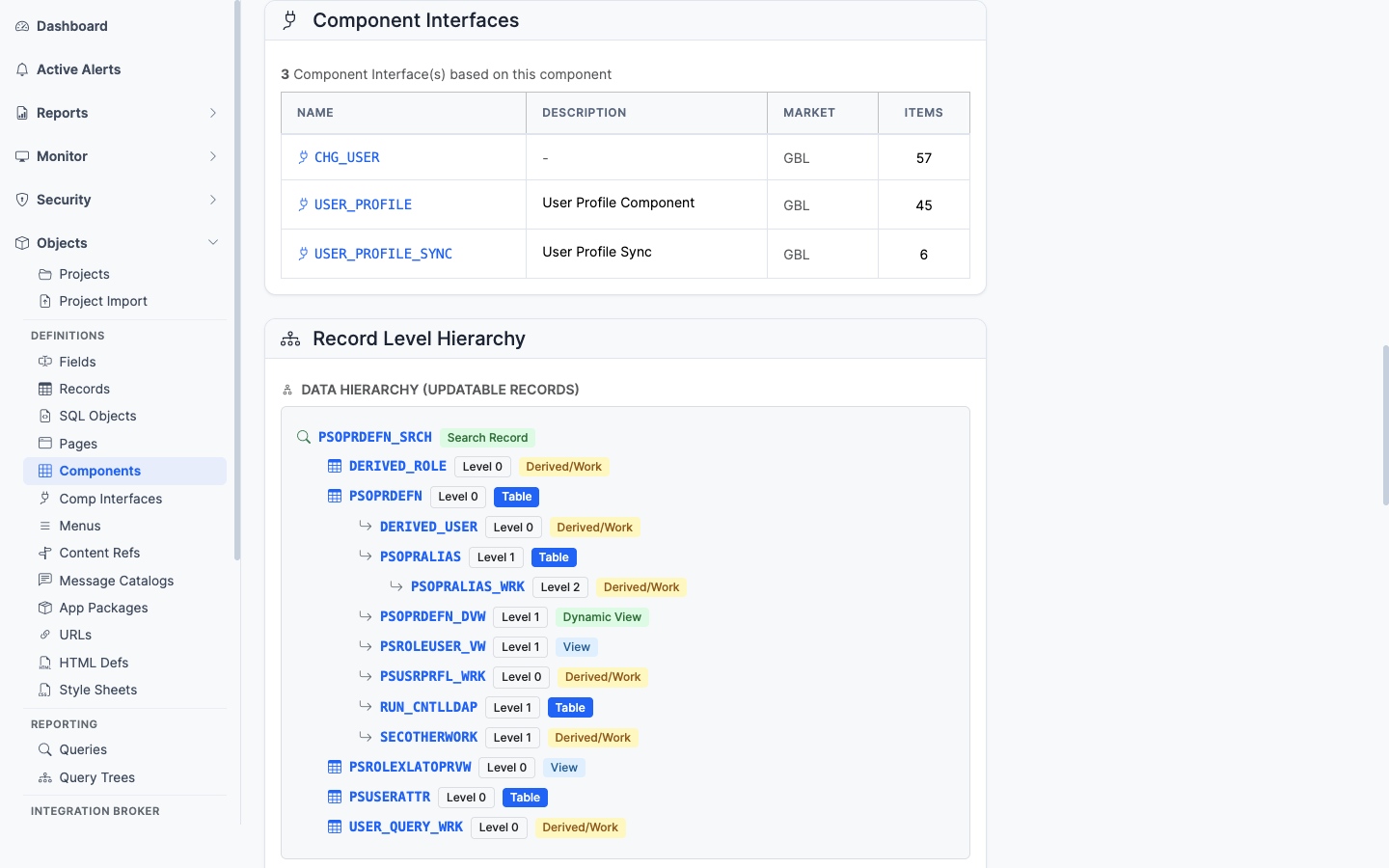
The CIs (`PSBCDEFN`) that wrap this component as an integration surface. If you have CIs here, programmatic access exists.

### Process Definitions

The process definitions (`PRCSDEFN`) that list this component on their Components tab (`PRCSDEFNPNL`). These are the processes a user can schedule from this run control component. Each row links to the process definition page.

### Record Level Hierarchy

<figure><img src="/images/screenshots/metadata/components-panel-records.png"
			alt="Record Level Hierarchy panel"><figcaption>
			<p>The component&rsquo;s scroll/record hierarchy across its pages</p>
		</figcaption>
</figure>


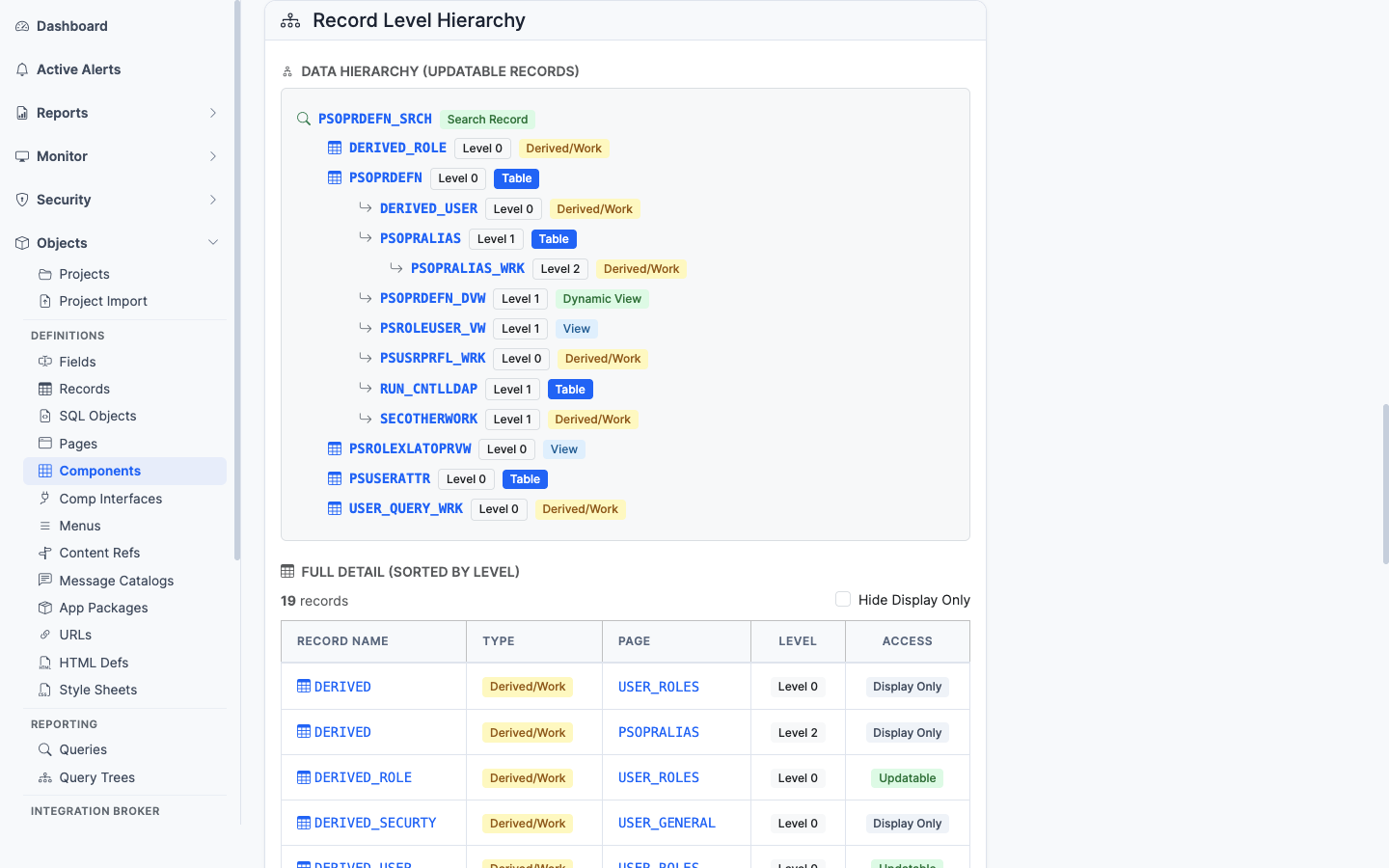
The scroll/record hierarchy across the pages. Shows the parent-child relationships of records as the component sees them at runtime.

### PeopleCode

<figure><img src="/images/screenshots/metadata/components-panel-peoplecode.png"
			alt="PeopleCode panel"><figcaption>
			<p>Component-level PeopleCode events</p>
		</figcaption>
</figure>


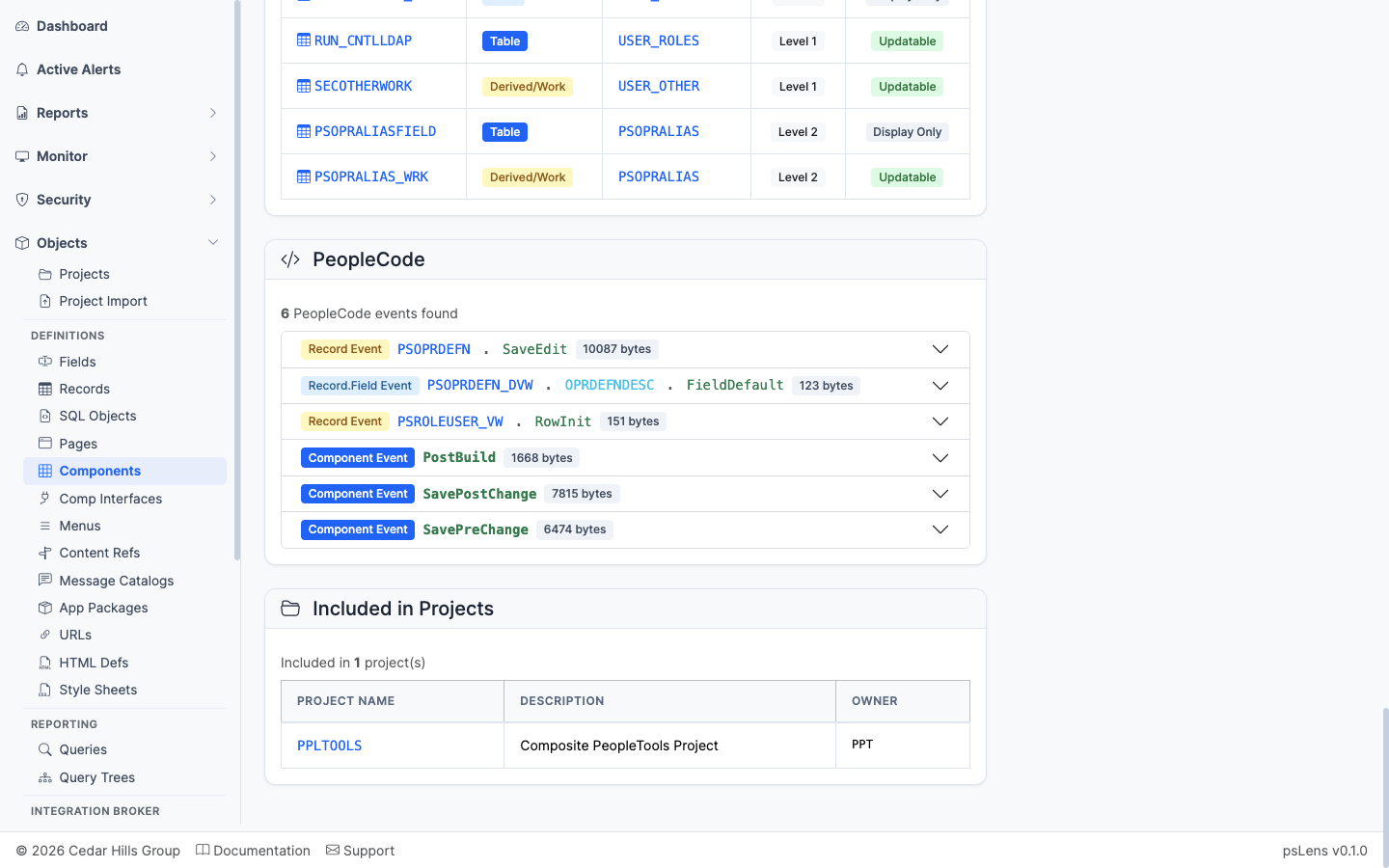
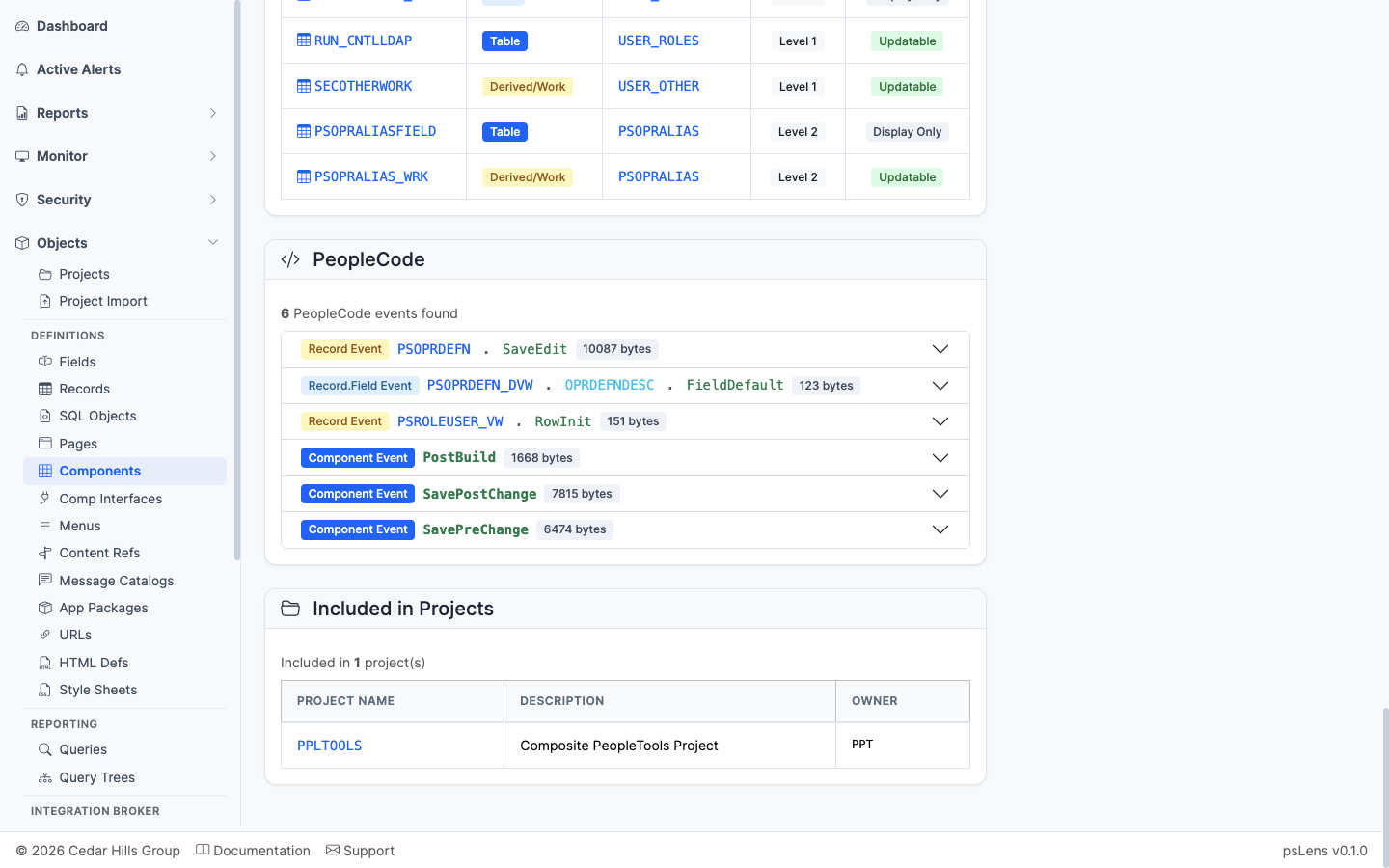
Component-level PeopleCode events (SearchInit, SearchSave, PreBuild, PostBuild, SavePreChange, SavePostChange, Workflow, etc.) and Component Record/Component Record Field PeopleCode.

### Included in Projects

<figure><img src="/images/screenshots/metadata/components-panel-projects.png"
			alt="Included in Projects panel for the component"><figcaption>
			<p>App Designer projects that include this component</p>
		</figcaption>
</figure>


App Designer projects containing this component as a project item.