# Content References

> Browse PeopleSoft Portal Registry Content References (CREFs) with navigation paths, attributes, and permission lists.

---

Site [llms.txt](/llms.txt)

---

<div id="pslens-context-panel" class="card border-info mb-4 d-none">
  <div class="card-header bg-light text-info py-2 fw-bold d-flex align-items-center border-bottom border-info-subtle">
    <i class="bi bi-info-circle-fill me-2"></i>
    <span>Tailored Operational Context</span>
  </div>
  <div class="card-body p-0">
    <ul class="list-group list-group-flush">
      <li id="row-db" class="list-group-item d-flex align-items-center justify-content-between py-2 d-none">
        <strong>Target Database:</strong>
        <span id="ctx-db" class="badge bg-secondary font-monospace">&mdash;</span>
      </li>
      <li id="row-type" class="list-group-item d-flex align-items-center justify-content-between py-2 d-none">
        <strong>Context Type:</strong>
        <span id="ctx-type" class="badge bg-light text-dark border font-monospace text-uppercase">&mdash;</span>
      </li>
      <li id="row-severity" class="list-group-item d-flex align-items-center justify-content-between py-2 d-none">
        <strong>Alert Severity:</strong>
        <span id="ctx-severity" class="badge">&mdash;</span>
      </li>
      <li id="row-time" class="list-group-item d-flex align-items-center justify-content-between py-2 d-none">
        <strong>Triggered Time:</strong>
        <span id="ctx-time" class="text-muted small">&mdash;</span>
      </li>
      <li id="row-details" class="list-group-item py-2 d-none">
        <strong id="label-details" class="d-block mb-1">Firing Context:</strong>
        <code id="ctx-details" class="d-block p-2 bg-light border rounded small"
          style="white-space: pre-wrap; word-break: break-all;">&mdash;</code>
      </li>
      <li id="row-sql" class="list-group-item py-2 d-none">
        <div class="d-flex justify-content-between align-items-center mb-1">
          <strong id="label-sql">Contextual SQL:</strong>
          <button id="btn-copy-sql" type="button" class="btn btn-sm btn-outline-secondary py-0 px-2 small">
            <i class="bi bi-clipboard me-1"></i>Copy SQL
          </button>
        </div>
        <pre class="mb-0 p-2 bg-light border rounded small"><code id="ctx-sql" style="white-space: pre-wrap; word-break: break-word;">&mdash;</code></pre>
      </li>
    </ul>
  </div>
</div>

<script>
  (function () {
    const params = new URLSearchParams(window.location.search);
    const metadata = params.get('metadata');
    if (!metadata) return;

    try {
      
      const base64 = metadata.replace(/-/g, '+').replace(/_/g, '/');
      const jsonStr = decodeURIComponent(escape(window.atob(base64)));
      const data = JSON.parse(jsonStr);

      if (data) {
        let hasData = false;

        if (data.db) {
          document.getElementById('ctx-db').textContent = data.db;
          document.getElementById('row-db').classList.remove('d-none');
          hasData = true;
        }

        if (data.type) {
          document.getElementById('ctx-type').textContent = data.type;
          document.getElementById('row-type').classList.remove('d-none');
          hasData = true;
        }

        if (data.severity) {
          const severityBadge = document.getElementById('ctx-severity');
          const severity = data.severity.toLowerCase();
          severityBadge.textContent = severity.toUpperCase();
          if (severity === 'critical') {
            severityBadge.className = 'badge bg-danger';
          } else if (severity === 'warning') {
            severityBadge.className = 'badge bg-warning text-dark';
          } else {
            severityBadge.className = 'badge bg-info';
          }
          document.getElementById('row-severity').classList.remove('d-none');
          hasData = true;
        }

        if (data.t) {
          const date = new Date(data.t * 1000);
          document.getElementById('ctx-time').textContent = date.toLocaleString();
          document.getElementById('row-time').classList.remove('d-none');
          hasData = true;
        }

        if (data.details) {
          document.getElementById('ctx-details').textContent = data.details;

          
          const labelDetails = document.getElementById('label-details');
          if (data.type === 'object') {
            labelDetails.textContent = 'Object Metadata Details:';
          } else if (data.type === 'report') {
            labelDetails.textContent = 'Report Description:';
          } else {
            labelDetails.textContent = 'Firing Context:';
          }

          document.getElementById('row-details').classList.remove('d-none');
          hasData = true;
        }

        if (data.sql) {
          document.getElementById('ctx-sql').textContent = data.sql;
          document.getElementById('row-sql').classList.remove('d-none');
          const copyBtn = document.getElementById('btn-copy-sql');
          if (copyBtn && navigator.clipboard) {
            copyBtn.addEventListener('click', function () {
              navigator.clipboard.writeText(data.sql).then(function () {
                copyBtn.innerHTML = '<i class="bi bi-check2 me-1"></i>Copied';
                setTimeout(function () {
                  copyBtn.innerHTML = '<i class="bi bi-clipboard me-1"></i>Copy SQL';
                }, 2000);
              });
            });
          }
          hasData = true;
        }

        if (hasData) {
          document.getElementById('pslens-context-panel').classList.remove('d-none');
        }
      }
    } catch (e) {
      console.error('Failed to parse operational context metadata:', e);
    }
  })();
</script>

Content References (CREFs) are entries in the PeopleSoft Portal Registry — the data structure that drives the menu tree, breadcrumbs, and navigation collections users see in PIA. Each CREF is identified by a portal/object name pair stored in `PSPRSMDEFN` and can be either a folder (a navigation container) or a content reference (a launchable target, usually a component, but also iScripts, external URLs, and homepage pagelets). psLens shows the CREF's URI target, the full ancestor walk back to the portal root, every system and custom attribute, and the permission lists that have been granted access.

## Object Relationships

Portal Content References link user navigation elements to target application objects:

- **Targets Components & External URLs**: CREFs (`PSPRSMDEFN`) map portal links to components (`PSPNLGRPDEFN`), iScripts, or external web addresses.
- **Organized in Portal Folders**: CREFs are arranged hierarchically inside parent folder nodes within the portal registry tree.
- **Secured by Permission Lists & Roles**: Permission lists and roles (`PSPRSMPERM`) grant user authorization to view CREFs and portal folders.

## How psLens Improves Content Reference Inspection

In PIA, analyzing a Portal Content Reference requires navigating down multi-level folder trees in **Structure & Content**, switching between administration and permission tabs, and repeatedly editing parent folders to trace breadcrumbs.

psLens displays the complete portal entry—destination URI, full ancestor breadcrumb path, custom/system attributes, and permission list grants—on a single screen.

## Search Page

URL: `/crefs?db={database}`

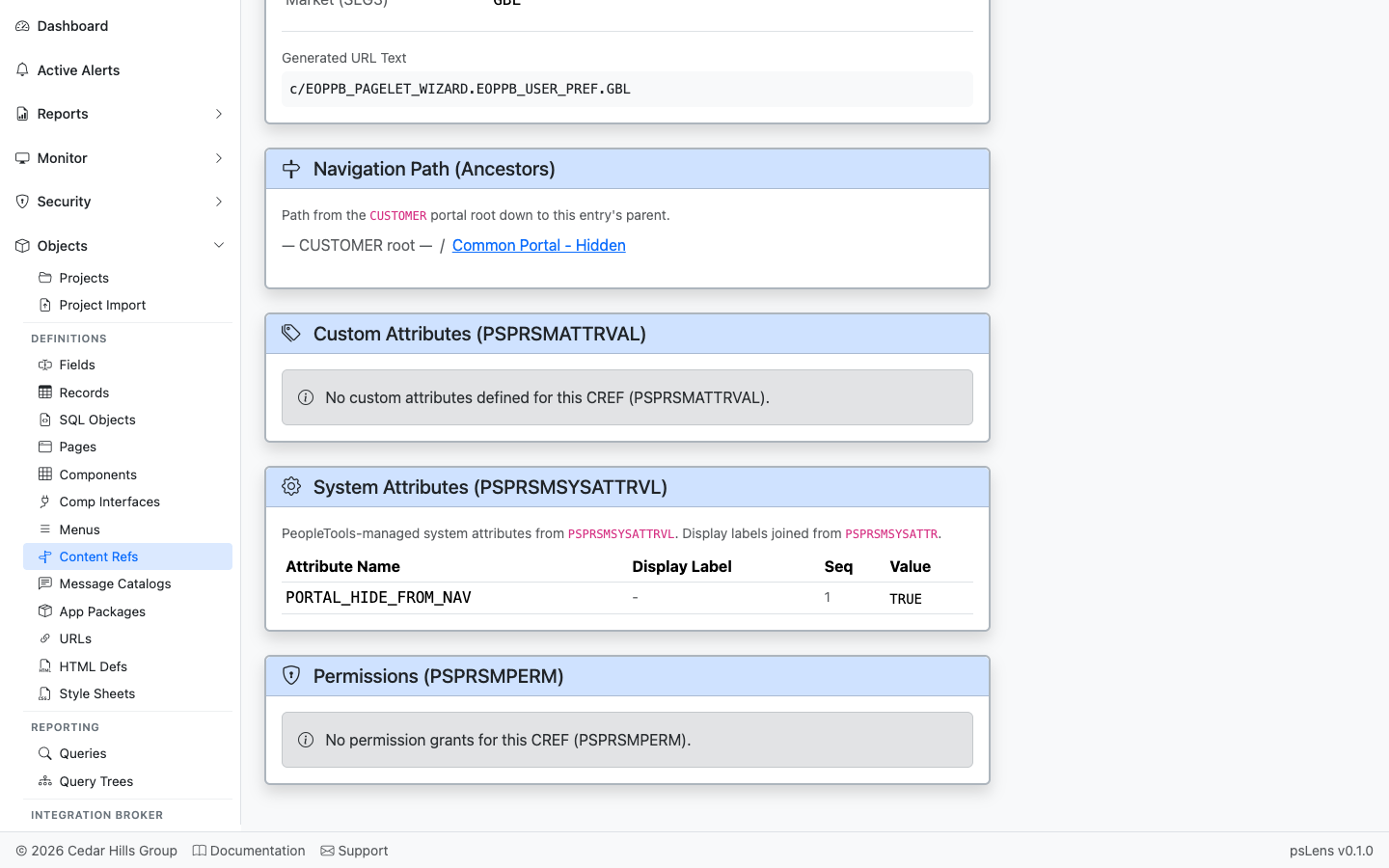
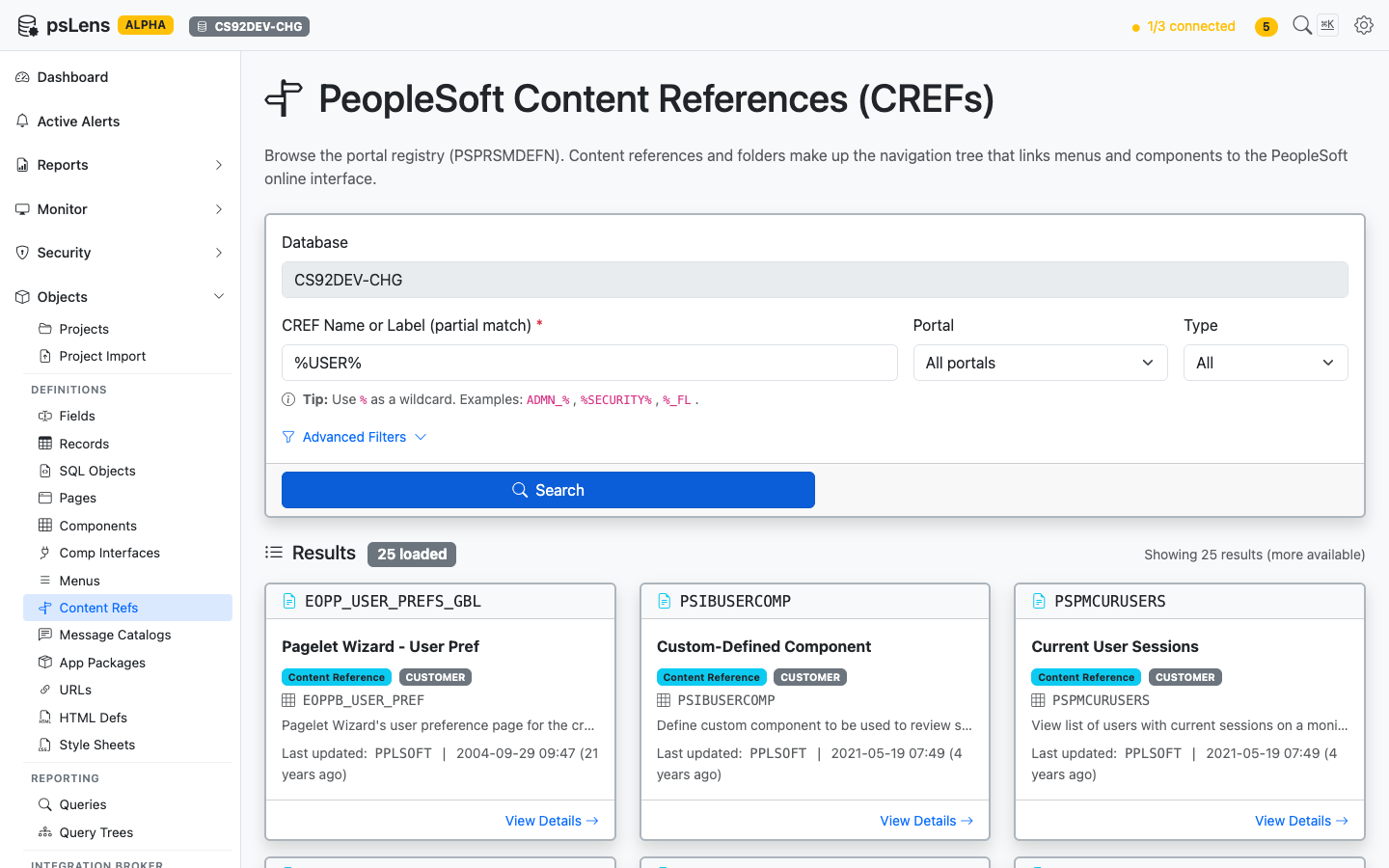
<figure><img src="/images/screenshots/metadata/content-refs-search.png"
			alt="CREF search results for %USER% showing CREFs across CUSTOMER and EMPLOYEE portals"><figcaption>
			<p>CREF search results for <code>%USER%</code></p>
		</figcaption>
</figure>


Search by CREF name *or* label, with optional filters for portal (EMPLOYEE, CUSTOMER, MOBILE, etc.) and type (CREF vs Folder). Each result card shows the portal, the parent folder path, and the target object name.

## Detail Page

URL: `/crefs/{PORTAL}/{OBJECTNAME}?db={database}`

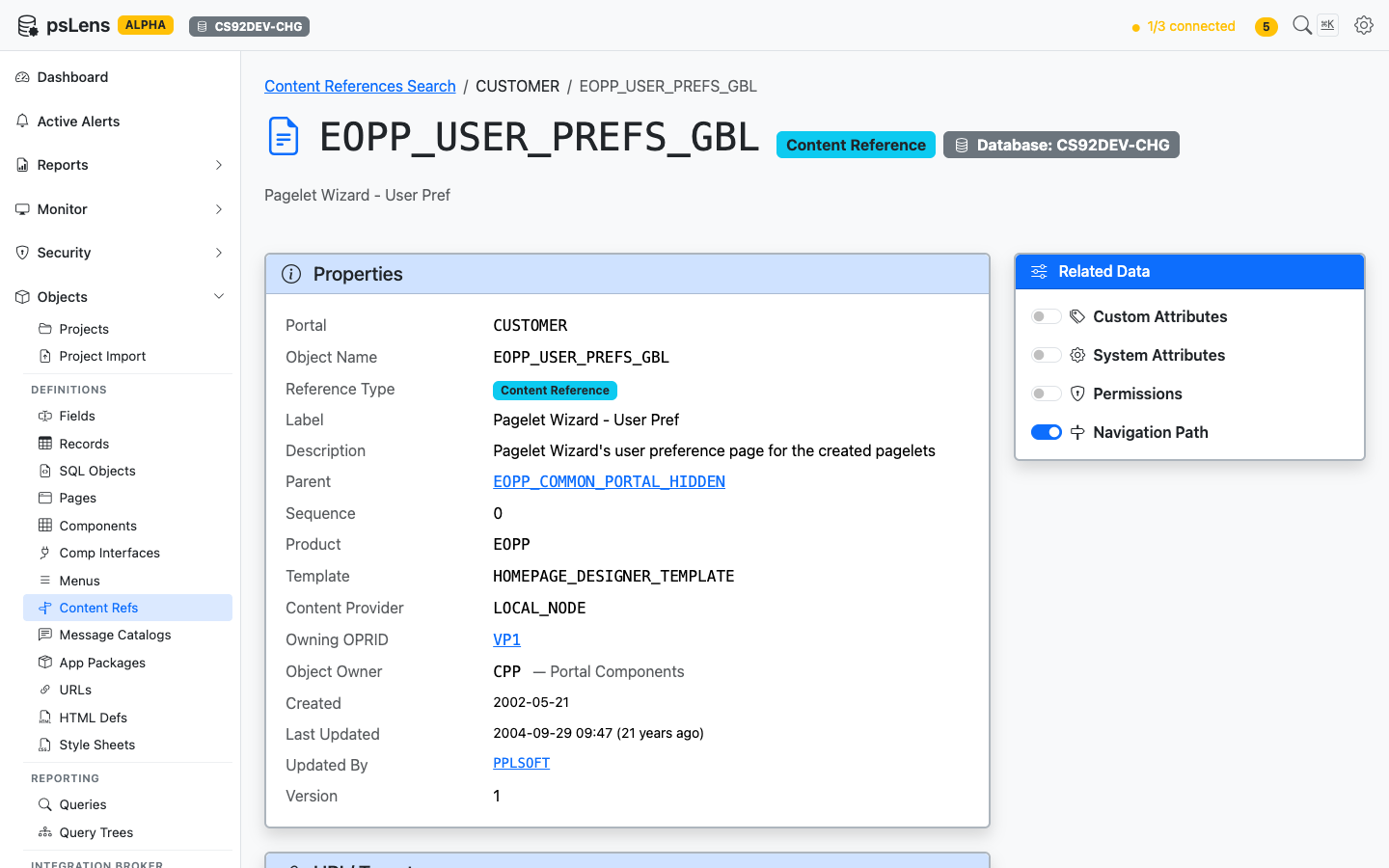
<figure><img src="/images/screenshots/metadata/content-refs-detail.png"
			alt="Detail page for EOPP_USER_PREFS_GBL CREF showing properties and URI target"><figcaption>
			<p>CREF detail page for <code>EOPP_USER_PREFS_GBL</code></p>
		</figcaption>
</figure>


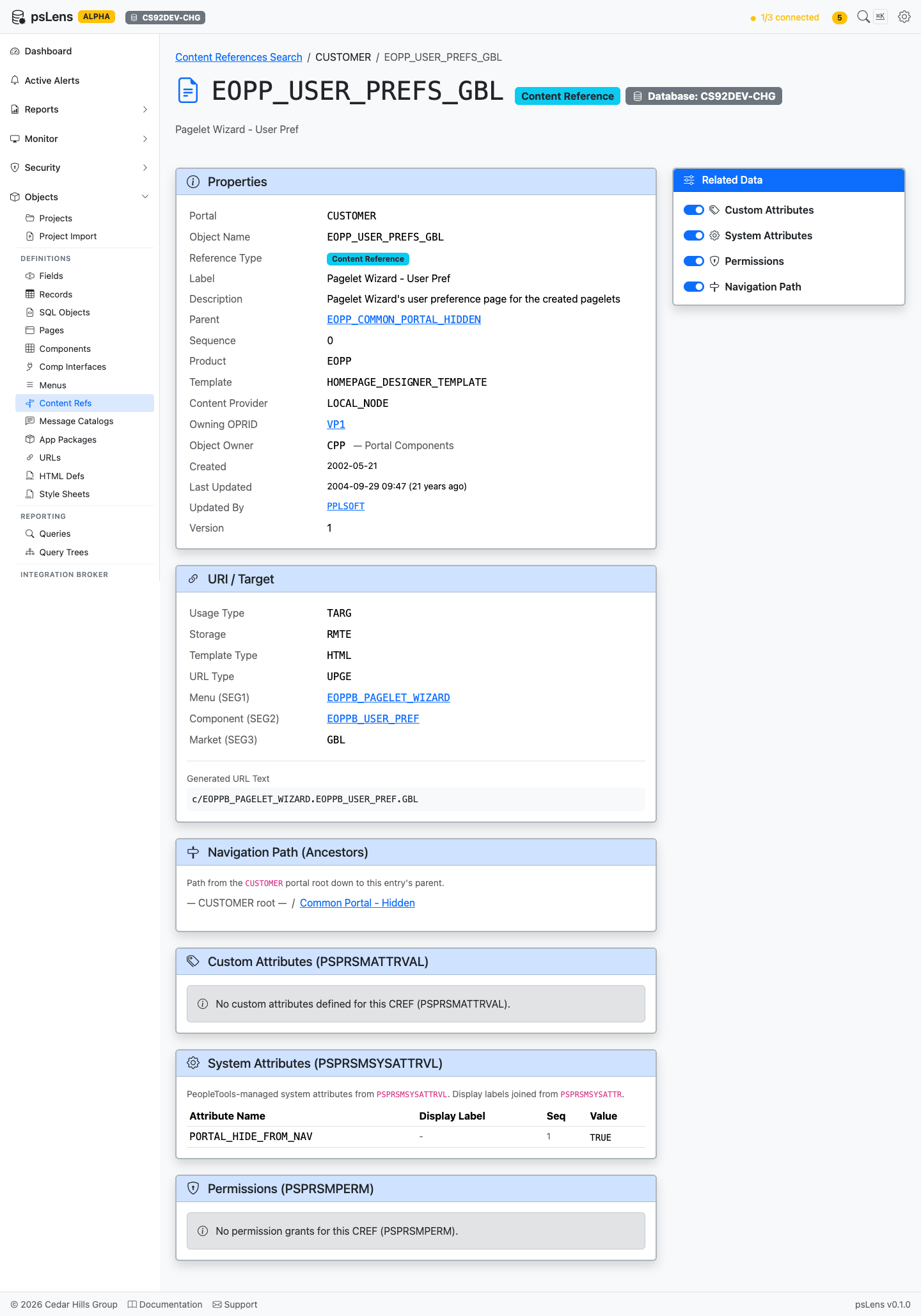
The main pane shows **Properties** (portal, parent folder, type, security author, label, description) and the **URI / Target** card with the destination URL. For component CREFs this is the menu/component path; for iScripts, the iScript URL; for external CREFs, the literal URL. The sidebar has 4 related-data toggles.

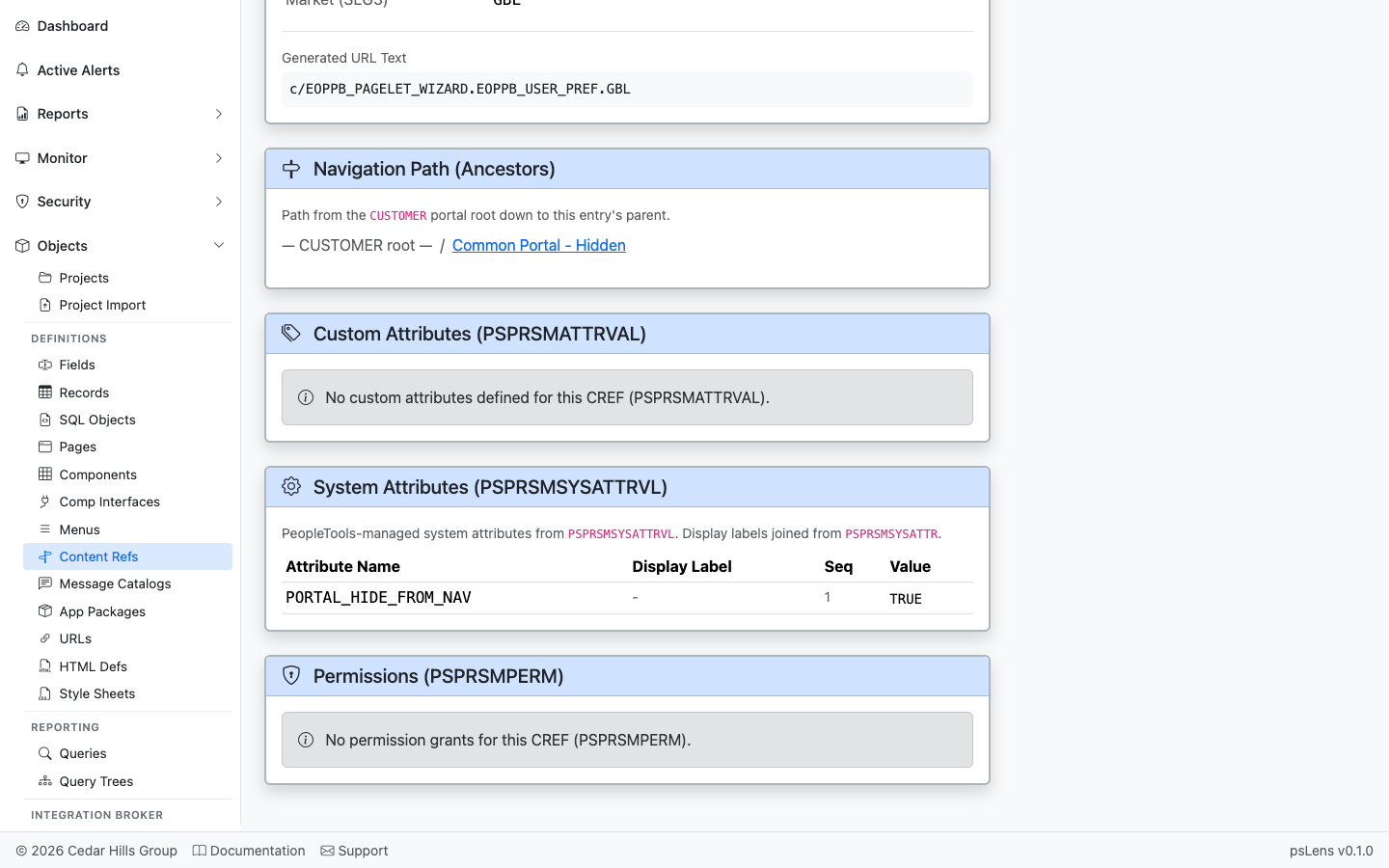
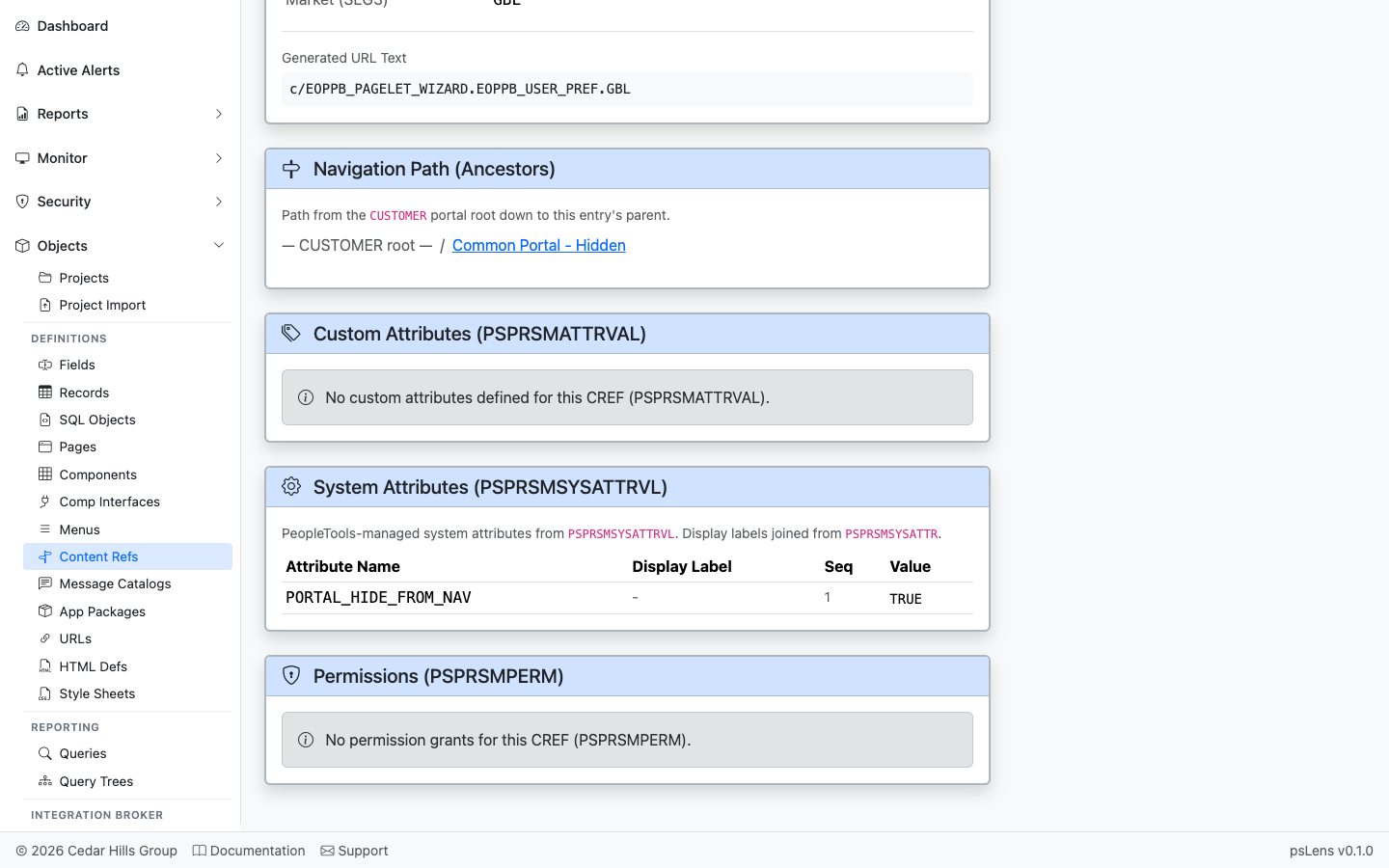
<figure><img src="/images/screenshots/metadata/content-refs-detail-expanded.png"
			alt="CREF detail page with all panels expanded"><figcaption>
			<p>All panels expanded — under 2100px tall</p>
		</figcaption>
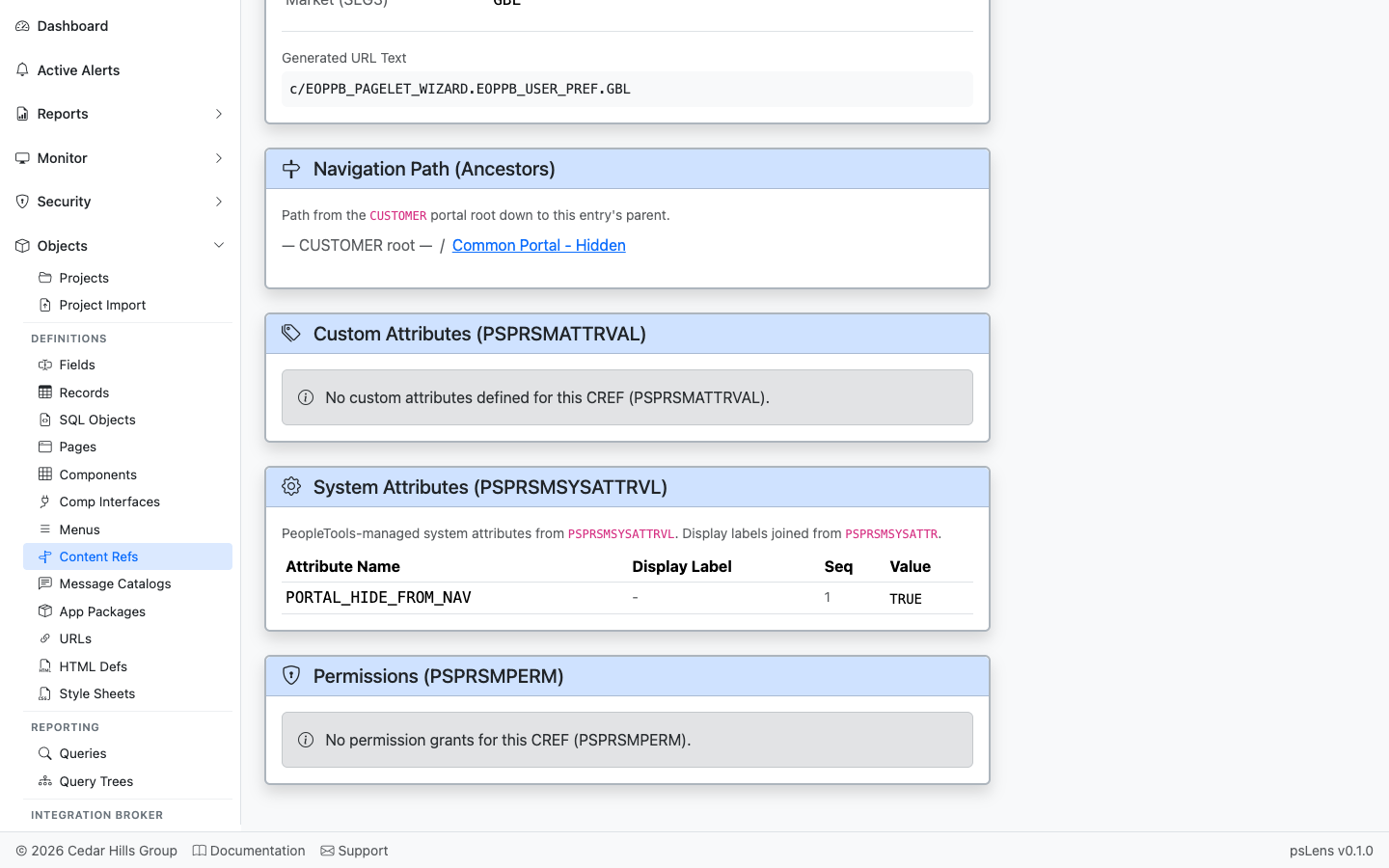
</figure>


## Related Data Panels

### Navigation Path

<figure><img src="/images/screenshots/metadata/content-refs-panel-ancestors.png"
			alt="Navigation Path (Ancestors) panel"><figcaption>
			<p>The breadcrumb walk from the portal root down to this CREF</p>
		</figcaption>
</figure>


The full ancestor chain from the portal root down to this CREF. Every folder in the navigation path is clickable so you can hop up the tree to a parent folder.

### Custom Attributes

<figure><img src="/images/screenshots/metadata/content-refs-panel-custom-attrs.png"
			alt="Custom Attributes panel"><figcaption>
			<p>Per-CREF custom attribute name/value pairs from PSPRSMATTRVAL</p>
		</figcaption>
</figure>


Per-CREF custom attribute name/value pairs from `PSPRSMATTRVAL`. Used by Fluid navigation collections, search categories, badges, and other portal features.

### System Attributes

<figure><img src="/images/screenshots/metadata/content-refs-panel-system-attrs.png"
			alt="System Attributes panel"><figcaption>
			<p>System attributes from PSPRSMSYSATTRVL with friendly labels</p>
		</figcaption>
</figure>


System attributes from `PSPRSMSYSATTRVL` with friendly labels (e.g., `PORTAL_LABEL`, `PORTAL_OBJTYPE_DESC`, `PTPP_*` personalization keys). These configure how the CREF behaves at runtime.

### Permissions

<figure><img src="/images/screenshots/metadata/content-refs-panel-permissions.png"
			alt="Permissions panel"><figcaption>
			<p>Permission lists with grant access to this CREF</p>
		</figcaption>
</figure>


Permission lists (`PSPRSMPERM`) that have been granted access to this CREF — the security side of "who can see this in the menu?".