# Fields

> Browse PeopleSoft field definitions with cross-references to records, pages, PeopleCode, component interfaces, queries, and projects.

---

Site [llms.txt](/llms.txt)

---

<div id="pslens-context-panel" class="card border-info mb-4 d-none">
  <div class="card-header bg-light text-info py-2 fw-bold d-flex align-items-center border-bottom border-info-subtle">
    <i class="bi bi-info-circle-fill me-2"></i>
    <span>Tailored Operational Context</span>
  </div>
  <div class="card-body p-0">
    <ul class="list-group list-group-flush">
      <li id="row-db" class="list-group-item d-flex align-items-center justify-content-between py-2 d-none">
        <strong>Target Database:</strong>
        <span id="ctx-db" class="badge bg-secondary font-monospace">&mdash;</span>
      </li>
      <li id="row-type" class="list-group-item d-flex align-items-center justify-content-between py-2 d-none">
        <strong>Context Type:</strong>
        <span id="ctx-type" class="badge bg-light text-dark border font-monospace text-uppercase">&mdash;</span>
      </li>
      <li id="row-severity" class="list-group-item d-flex align-items-center justify-content-between py-2 d-none">
        <strong>Alert Severity:</strong>
        <span id="ctx-severity" class="badge">&mdash;</span>
      </li>
      <li id="row-time" class="list-group-item d-flex align-items-center justify-content-between py-2 d-none">
        <strong>Triggered Time:</strong>
        <span id="ctx-time" class="text-muted small">&mdash;</span>
      </li>
      <li id="row-details" class="list-group-item py-2 d-none">
        <strong id="label-details" class="d-block mb-1">Firing Context:</strong>
        <code id="ctx-details" class="d-block p-2 bg-light border rounded small"
          style="white-space: pre-wrap; word-break: break-all;">&mdash;</code>
      </li>
      <li id="row-sql" class="list-group-item py-2 d-none">
        <div class="d-flex justify-content-between align-items-center mb-1">
          <strong id="label-sql">Contextual SQL:</strong>
          <button id="btn-copy-sql" type="button" class="btn btn-sm btn-outline-secondary py-0 px-2 small">
            <i class="bi bi-clipboard me-1"></i>Copy SQL
          </button>
        </div>
        <pre class="mb-0 p-2 bg-light border rounded small"><code id="ctx-sql" style="white-space: pre-wrap; word-break: break-word;">&mdash;</code></pre>
      </li>
    </ul>
  </div>
</div>

<script>
  (function () {
    const params = new URLSearchParams(window.location.search);
    const metadata = params.get('metadata');
    if (!metadata) return;

    try {
      
      const base64 = metadata.replace(/-/g, '+').replace(/_/g, '/');
      const jsonStr = decodeURIComponent(escape(window.atob(base64)));
      const data = JSON.parse(jsonStr);

      if (data) {
        let hasData = false;

        if (data.db) {
          document.getElementById('ctx-db').textContent = data.db;
          document.getElementById('row-db').classList.remove('d-none');
          hasData = true;
        }

        if (data.type) {
          document.getElementById('ctx-type').textContent = data.type;
          document.getElementById('row-type').classList.remove('d-none');
          hasData = true;
        }

        if (data.severity) {
          const severityBadge = document.getElementById('ctx-severity');
          const severity = data.severity.toLowerCase();
          severityBadge.textContent = severity.toUpperCase();
          if (severity === 'critical') {
            severityBadge.className = 'badge bg-danger';
          } else if (severity === 'warning') {
            severityBadge.className = 'badge bg-warning text-dark';
          } else {
            severityBadge.className = 'badge bg-info';
          }
          document.getElementById('row-severity').classList.remove('d-none');
          hasData = true;
        }

        if (data.t) {
          const date = new Date(data.t * 1000);
          document.getElementById('ctx-time').textContent = date.toLocaleString();
          document.getElementById('row-time').classList.remove('d-none');
          hasData = true;
        }

        if (data.details) {
          document.getElementById('ctx-details').textContent = data.details;

          
          const labelDetails = document.getElementById('label-details');
          if (data.type === 'object') {
            labelDetails.textContent = 'Object Metadata Details:';
          } else if (data.type === 'report') {
            labelDetails.textContent = 'Report Description:';
          } else {
            labelDetails.textContent = 'Firing Context:';
          }

          document.getElementById('row-details').classList.remove('d-none');
          hasData = true;
        }

        if (data.sql) {
          document.getElementById('ctx-sql').textContent = data.sql;
          document.getElementById('row-sql').classList.remove('d-none');
          const copyBtn = document.getElementById('btn-copy-sql');
          if (copyBtn && navigator.clipboard) {
            copyBtn.addEventListener('click', function () {
              navigator.clipboard.writeText(data.sql).then(function () {
                copyBtn.innerHTML = '<i class="bi bi-check2 me-1"></i>Copied';
                setTimeout(function () {
                  copyBtn.innerHTML = '<i class="bi bi-clipboard me-1"></i>Copy SQL';
                }, 2000);
              });
            });
          }
          hasData = true;
        }

        if (hasData) {
          document.getElementById('pslens-context-panel').classList.remove('d-none');
        }
      }
    } catch (e) {
      console.error('Failed to parse operational context metadata:', e);
    }
  })();
</script>

Fields (`PSDBFIELD`) are the fundamental, individual data elements in PeopleSoft—like an employee ID, first name, date of birth, or monetary amount. Think of a field as an individual column in a spreadsheet or a single entry box on a form. Every database table column and page control across PeopleSoft is built on top of a field definition. psLens reads field definitions from `PSDBFIELD` (and field labels from `PSDBFLDLABL`) and stitches them together with the rest of the metadata so you can see, in one place, everywhere a given field is used.

## Object Relationships

Fields form the lowest-level data layer in the PeopleSoft object hierarchy:

- **Included in Records**: Fields (`PSDBFIELD`) are grouped into record definitions (`PSRECFIELD`) to form physical database tables, SQL views, and derived work buffers.
- **Bound to Page Controls**: Fields are bound to user interface controls (`PSPNLFIELD`) on pages to view or edit data.
- **Exposed in Component Interfaces**: Fields map to Component Interface properties (`PSBCITEM`) for programmatic API integrations.
- **Referenced in Queries & PeopleCode**: Fields are selected in PeopleSoft Queries (`PSQRYFIELD`) and referenced in PeopleCode logic across the application.

## How psLens Improves Field Inspection

In Application Designer, assembling a complete picture of a field's usage requires opening the field definition for properties and labels, right-clicking to run **Find Object References** for record usage, executing a separate **Find In** search across PeopleCode, manually running SQL against `PSPNLFIELD` and `PSBCITEM` to find page and CI usage, running Query Manager searches across databases, and inspecting containing App Designer projects one at a time for migration history.

psLens surfaces field properties, label definitions, containing records, page bindings, Component Interface properties, PeopleCode call sites, and query references on a single screen with one-click drilldowns.

## Search Page

URL: `/fields?db={database}`

<figure><img src="/images/screenshots/metadata/fields-search.png"
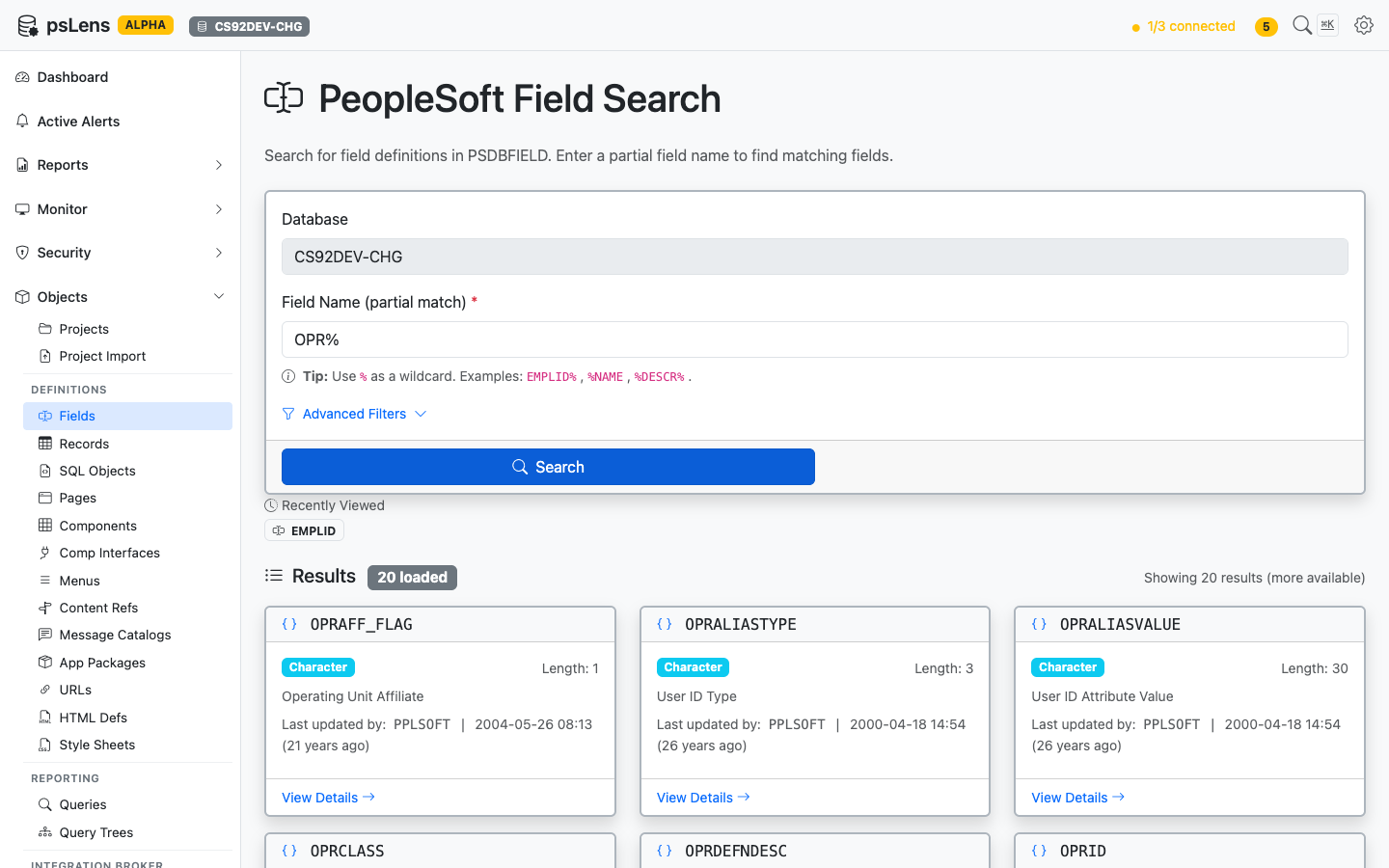
			alt="Field search results showing OPRAFF_FLAG, OPRALIASTYPE, and other fields matching OPR%"><figcaption>
			<p>Field search results for <code>OPR%</code></p>
		</figcaption>
</figure>


Type a partial field name to find matching definitions. Search auto-matches as *starts with* — `EMPLID` finds `EMPLID`, `EMPLID_TBL`, `EMPLID_PNL`, etc. Include `%` yourself for more control: `%NAME` (ends with), `%DESCR%` (contains), or just `%` to list every row. Each result card shows the field type and length, the long-name description, and the last-updated timestamp so you can spot recently modified objects at a glance. The **Advanced Filters** panel lets you narrow by field type, last-updated date, or owner. Recently viewed fields are surfaced just above the results.

## Detail Page

URL: `/fields/{FIELDNAME}?db={database}`

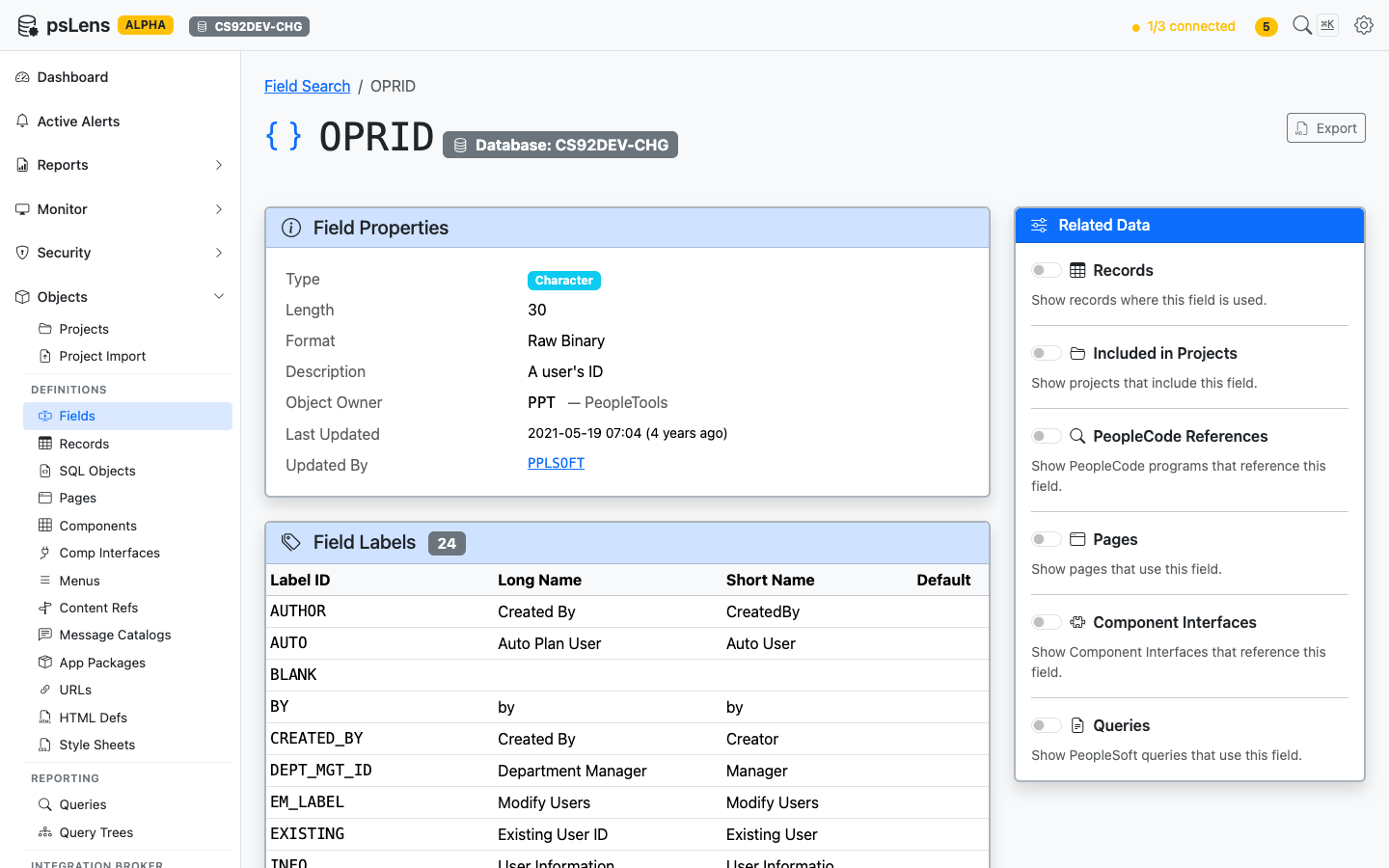
<figure><img src="/images/screenshots/metadata/fields-detail.png"
			alt="Detail page for the OPRID field showing properties, field labels, and the Related Data sidebar"><figcaption>
			<p>Field detail page for <code>OPRID</code> — default view, no panels expanded</p>
		</figcaption>
</figure>


The main pane shows the **Field Properties** card (type, length, format, description, object owner, last-updated metadata) and a **Field Labels** card with every long/short name pair defined in `PSDBFLDLABL`, including which one is the default label. The **Export** button in the top right downloads the full definition as Markdown. The **Related Data** sidebar holds six toggles that fetch additional context on demand.

## Related Data Panels

Toggle any panel on to load it inline beneath the main content. Each panel returns the count of objects found and a sortable list with deep-links into the corresponding psLens detail pages, so you can chase a field reference into the record, page, or PeopleCode program that uses it without losing your place.

### Records

<figure><img src="/images/screenshots/metadata/fields-panel-records.png"
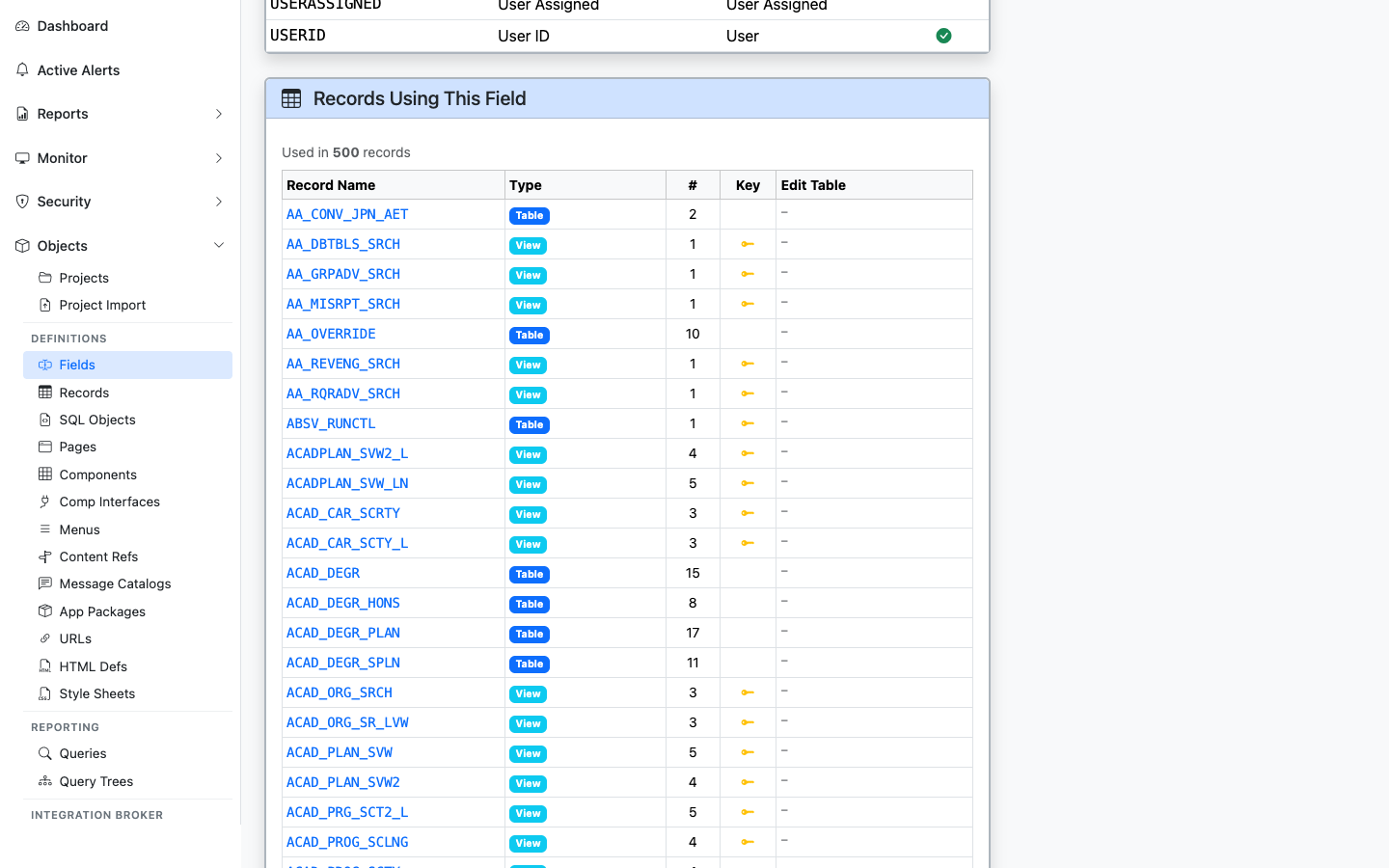
			alt="Records Using This Field panel showing 500 records that contain OPRID"><figcaption>
			<p>Every record that includes this field, with type (Table/View) and Edit Table indicator</p>
		</figcaption>
</figure>


Lists every record where the field appears, with record type, the position number within the record, key-field indicator, and whether the field is configured with an Edit Table prompt. Sourced from `PSRECFIELD` / `PSRECFIELDDB`.

### Included in Projects

<figure><img src="/images/screenshots/metadata/fields-panel-projects.png"
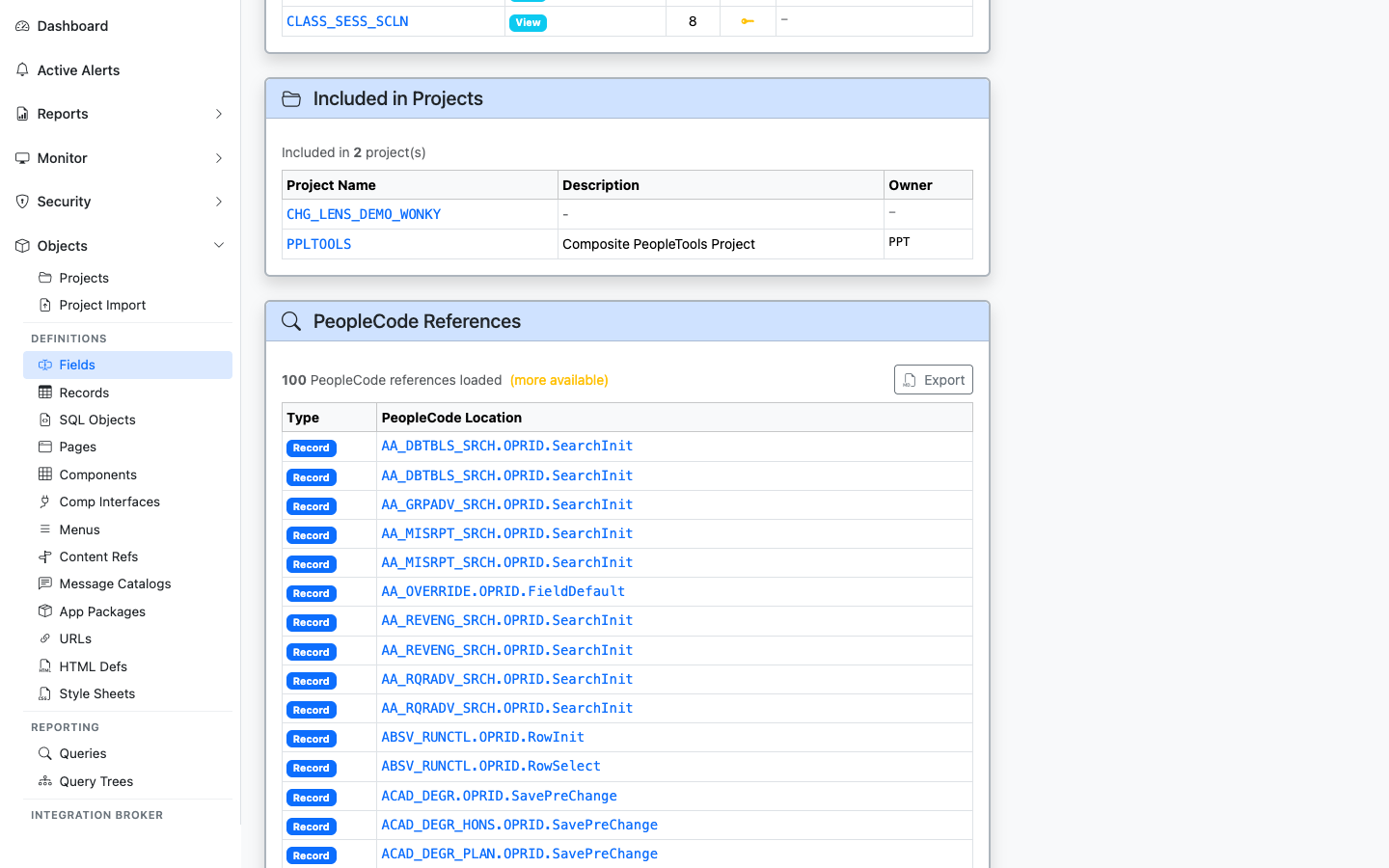
			alt="Included in Projects panel for the OPRID field"><figcaption>
			<p>App Designer projects that include this field</p>
		</figcaption>
</figure>


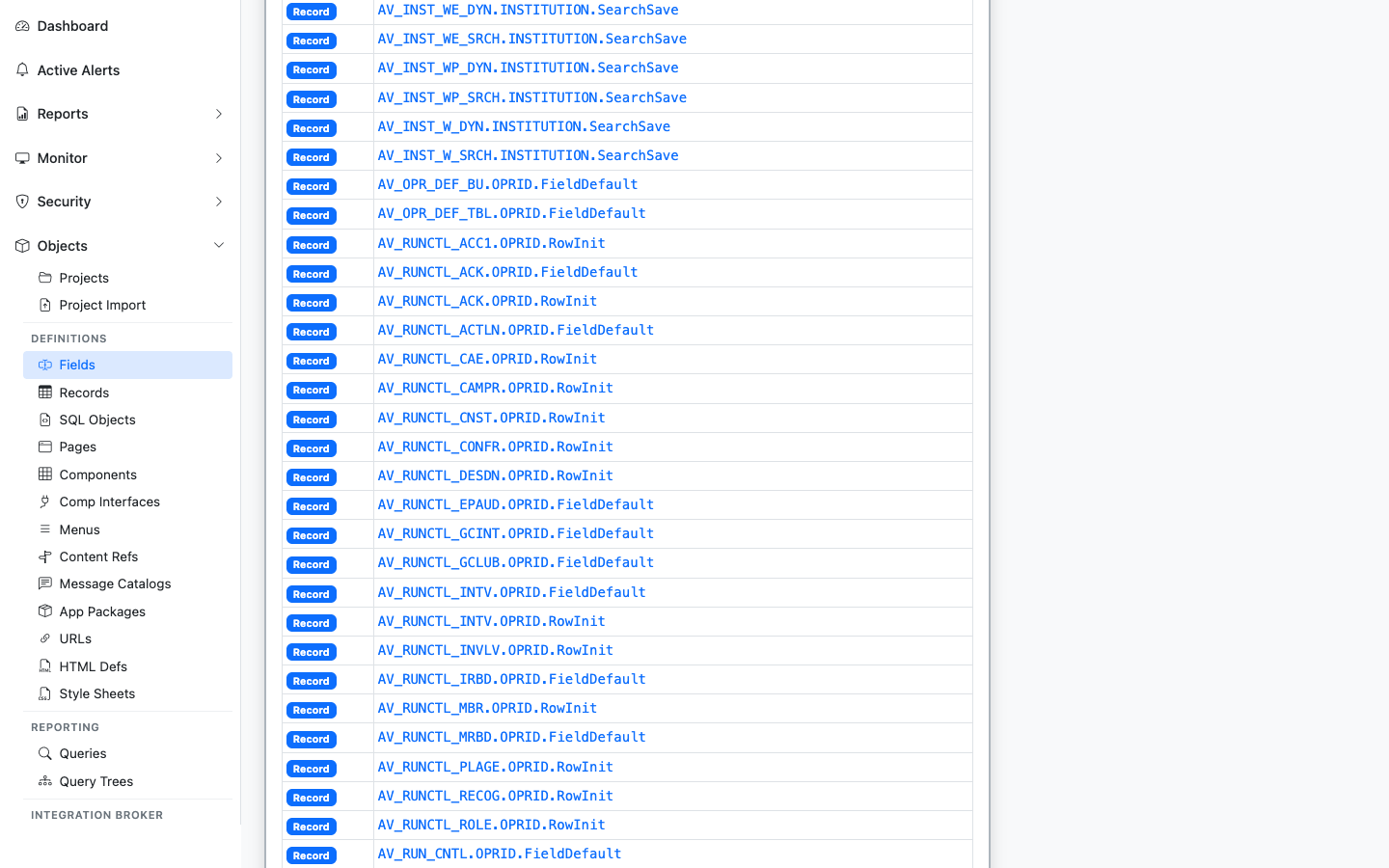
Shows every App Designer project (`PSPROJECTITEM`) that contains this field as a project item. Useful for tracing which customization or release introduced or modified the field.

### PeopleCode References

<figure><img src="/images/screenshots/metadata/fields-panel-peoplecode.png"
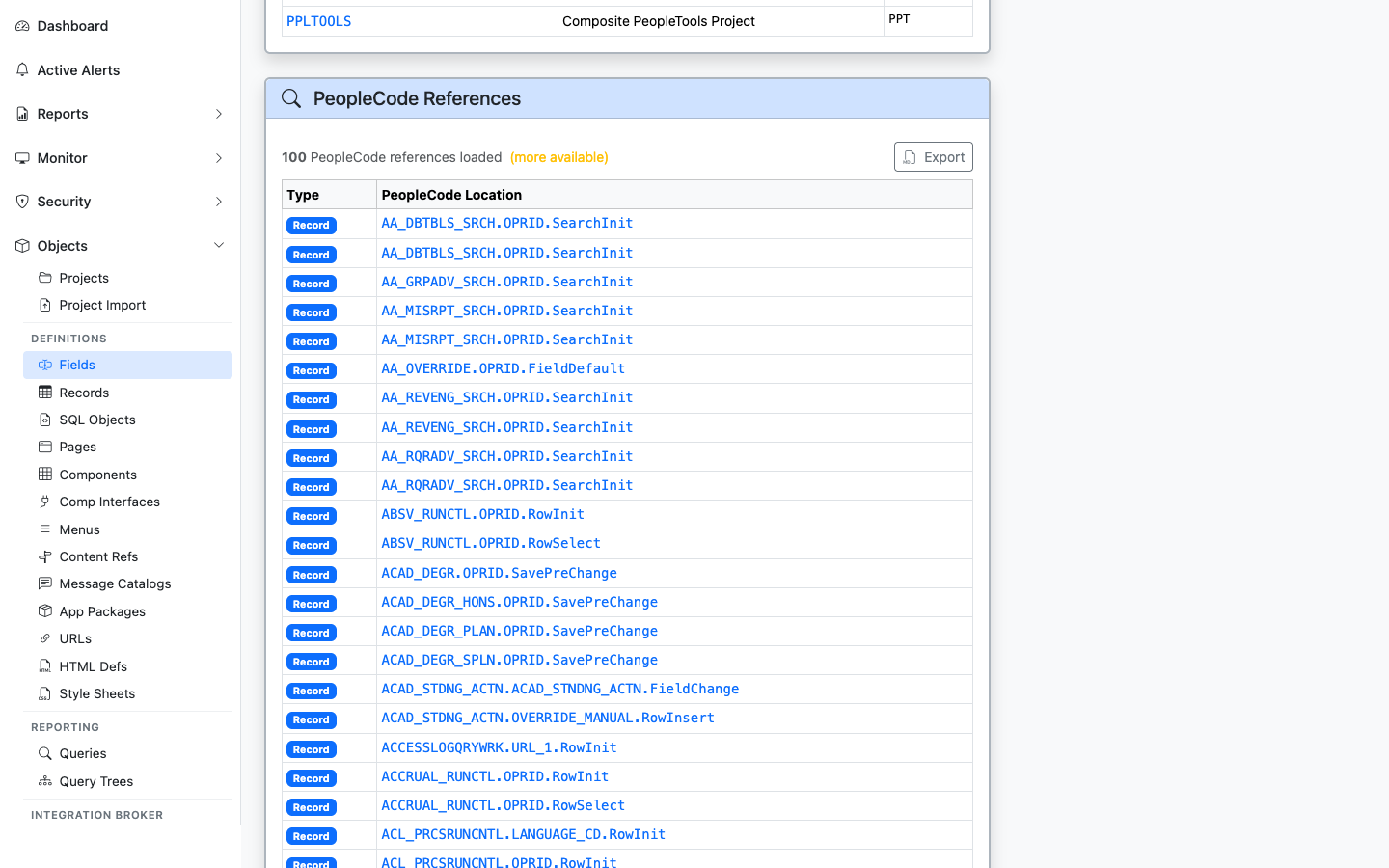
			alt="PeopleCode References panel showing PeopleCode programs that reference OPRID"><figcaption>
			<p>PeopleCode programs that reference this field</p>
		</figcaption>
</figure>


Lists PeopleCode programs that mention the field: record PeopleCode, component PeopleCode, application package methods, and more. Each result links to the parent object's detail page so you can drill into the program.

### Pages

<figure><img src="/images/screenshots/metadata/fields-panel-pages.png"
			alt="Pages Using This Field panel showing pages that bind the OPRID field"><figcaption>
			<p>Pages with field controls bound to this field</p>
		</figcaption>
</figure>


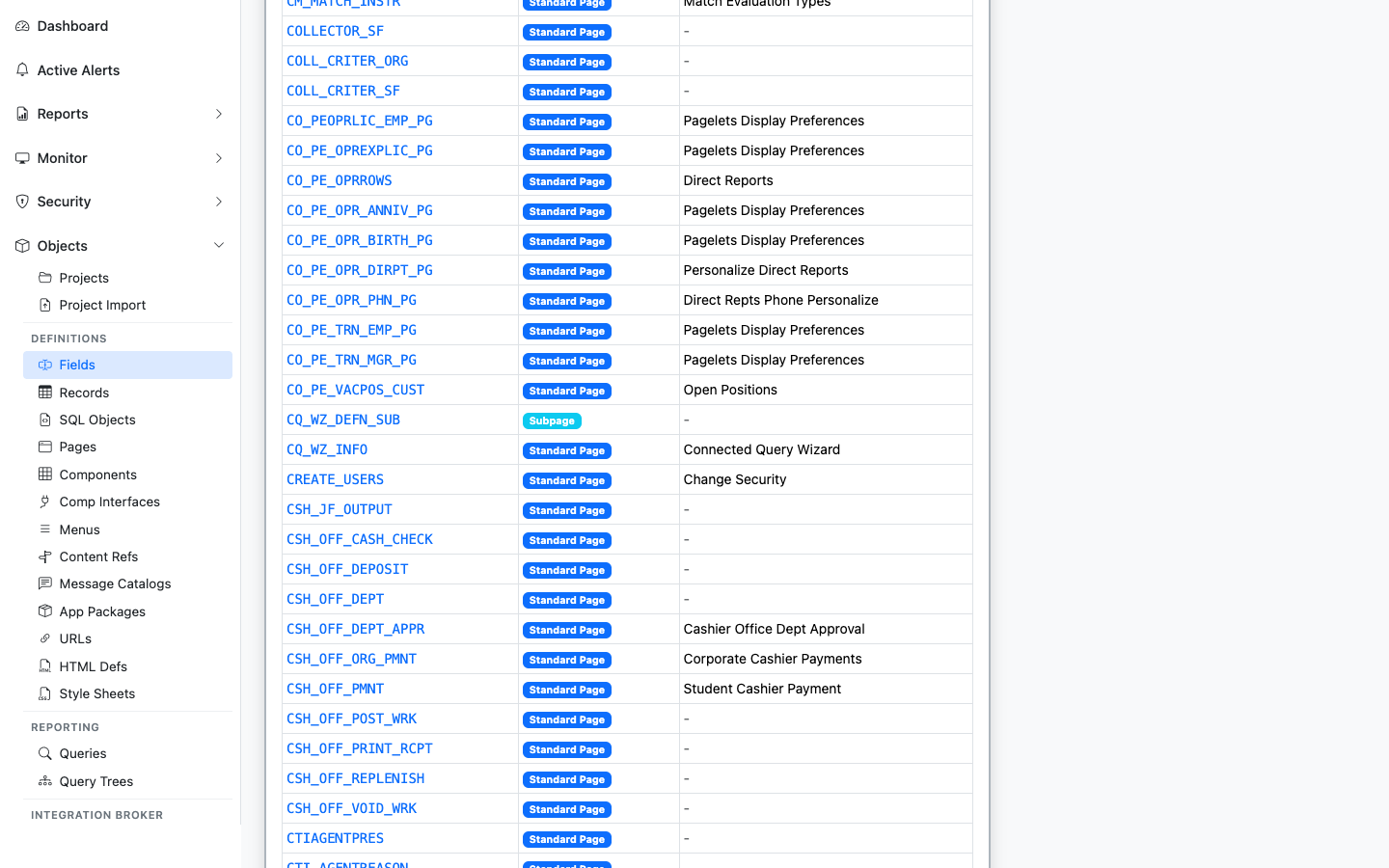
Lists pages (`PSPNLFIELD`) where a control on the page is bound to this field, with the record context. Useful for impact analysis when changing a field's type or length.

### Component Interfaces

<figure><img src="/images/screenshots/metadata/fields-panel-componentinterfaces.png"
			alt="Component Interfaces Using This Field panel"><figcaption>
			<p>Component Interfaces that expose this field as a property</p>
		</figcaption>
</figure>


Lists Component Interfaces that expose this field as a CI property. The integration surface area for the field. Sourced from `PSBCITEM`.

### Queries

<figure><img src="/images/screenshots/metadata/fields-panel-queries.png"
			alt="Queries Using This Field panel"><figcaption>
			<p>PeopleSoft Queries that reference this field</p>
		</figcaption>
</figure>


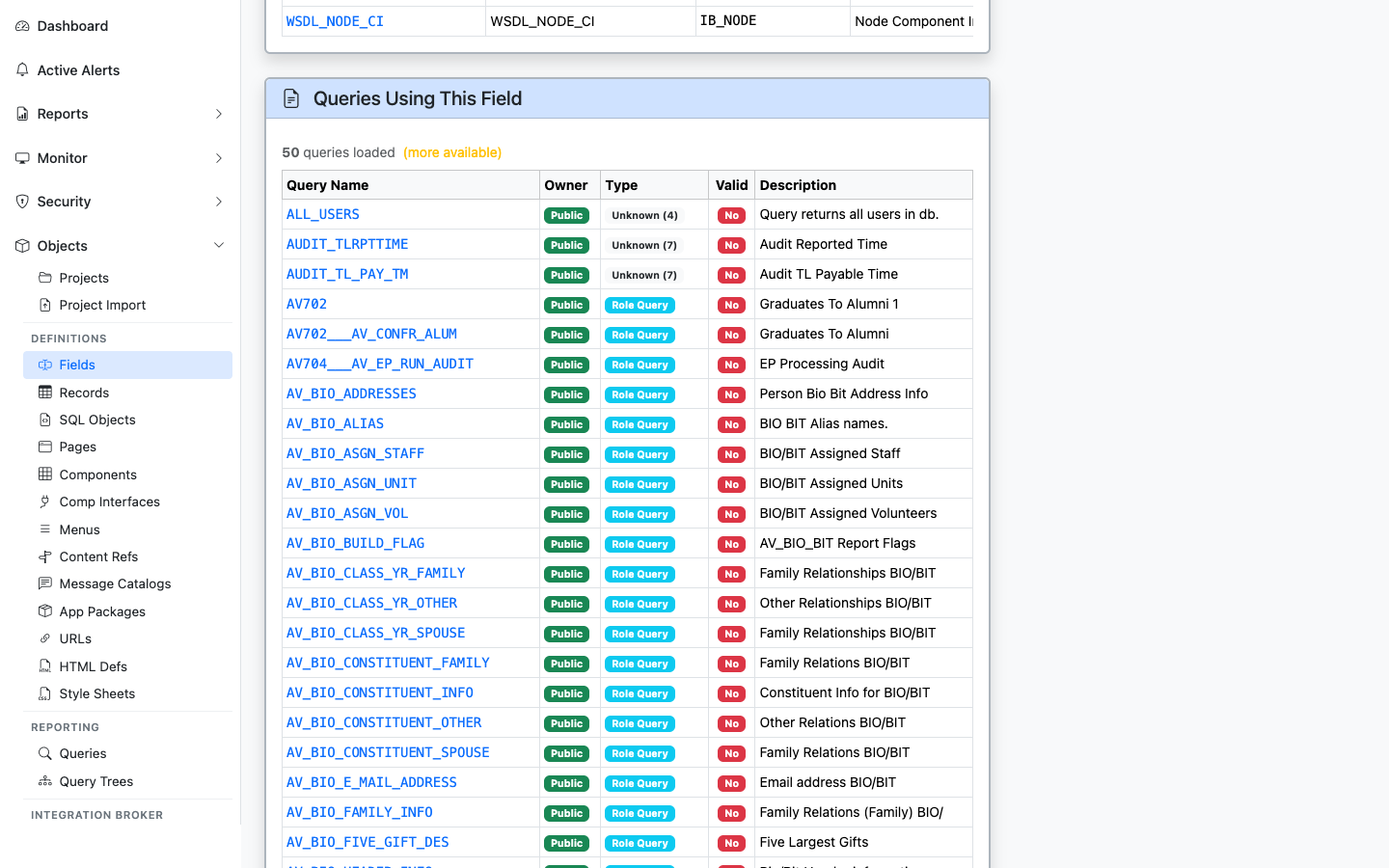
Lists PeopleSoft Queries (`PSQRYFIELD`) that reference this field in a SELECT, WHERE, or ORDER BY. Useful for security and audit work: "who has reports built on this column?"