# Queries

> Browse PeopleSoft Queries with record/field usage, query trees, security access, and ownership.

---

Site [llms.txt](/llms.txt)

---

<div id="pslens-context-panel" class="card border-info mb-4 d-none">
  <div class="card-header bg-light text-info py-2 fw-bold d-flex align-items-center border-bottom border-info-subtle">
    <i class="bi bi-info-circle-fill me-2"></i>
    <span>Tailored Operational Context</span>
  </div>
  <div class="card-body p-0">
    <ul class="list-group list-group-flush">
      <li id="row-db" class="list-group-item d-flex align-items-center justify-content-between py-2 d-none">
        <strong>Target Database:</strong>
        <span id="ctx-db" class="badge bg-secondary font-monospace">&mdash;</span>
      </li>
      <li id="row-type" class="list-group-item d-flex align-items-center justify-content-between py-2 d-none">
        <strong>Context Type:</strong>
        <span id="ctx-type" class="badge bg-light text-dark border font-monospace text-uppercase">&mdash;</span>
      </li>
      <li id="row-severity" class="list-group-item d-flex align-items-center justify-content-between py-2 d-none">
        <strong>Alert Severity:</strong>
        <span id="ctx-severity" class="badge">&mdash;</span>
      </li>
      <li id="row-time" class="list-group-item d-flex align-items-center justify-content-between py-2 d-none">
        <strong>Triggered Time:</strong>
        <span id="ctx-time" class="text-muted small">&mdash;</span>
      </li>
      <li id="row-details" class="list-group-item py-2 d-none">
        <strong id="label-details" class="d-block mb-1">Firing Context:</strong>
        <code id="ctx-details" class="d-block p-2 bg-light border rounded small"
          style="white-space: pre-wrap; word-break: break-all;">&mdash;</code>
      </li>
      <li id="row-sql" class="list-group-item py-2 d-none">
        <div class="d-flex justify-content-between align-items-center mb-1">
          <strong id="label-sql">Contextual SQL:</strong>
          <button id="btn-copy-sql" type="button" class="btn btn-sm btn-outline-secondary py-0 px-2 small">
            <i class="bi bi-clipboard me-1"></i>Copy SQL
          </button>
        </div>
        <pre class="mb-0 p-2 bg-light border rounded small"><code id="ctx-sql" style="white-space: pre-wrap; word-break: break-word;">&mdash;</code></pre>
      </li>
    </ul>
  </div>
</div>

<script>
  (function () {
    const params = new URLSearchParams(window.location.search);
    const metadata = params.get('metadata');
    if (!metadata) return;

    try {
      
      const base64 = metadata.replace(/-/g, '+').replace(/_/g, '/');
      const jsonStr = decodeURIComponent(escape(window.atob(base64)));
      const data = JSON.parse(jsonStr);

      if (data) {
        let hasData = false;

        if (data.db) {
          document.getElementById('ctx-db').textContent = data.db;
          document.getElementById('row-db').classList.remove('d-none');
          hasData = true;
        }

        if (data.type) {
          document.getElementById('ctx-type').textContent = data.type;
          document.getElementById('row-type').classList.remove('d-none');
          hasData = true;
        }

        if (data.severity) {
          const severityBadge = document.getElementById('ctx-severity');
          const severity = data.severity.toLowerCase();
          severityBadge.textContent = severity.toUpperCase();
          if (severity === 'critical') {
            severityBadge.className = 'badge bg-danger';
          } else if (severity === 'warning') {
            severityBadge.className = 'badge bg-warning text-dark';
          } else {
            severityBadge.className = 'badge bg-info';
          }
          document.getElementById('row-severity').classList.remove('d-none');
          hasData = true;
        }

        if (data.t) {
          const date = new Date(data.t * 1000);
          document.getElementById('ctx-time').textContent = date.toLocaleString();
          document.getElementById('row-time').classList.remove('d-none');
          hasData = true;
        }

        if (data.details) {
          document.getElementById('ctx-details').textContent = data.details;

          
          const labelDetails = document.getElementById('label-details');
          if (data.type === 'object') {
            labelDetails.textContent = 'Object Metadata Details:';
          } else if (data.type === 'report') {
            labelDetails.textContent = 'Report Description:';
          } else {
            labelDetails.textContent = 'Firing Context:';
          }

          document.getElementById('row-details').classList.remove('d-none');
          hasData = true;
        }

        if (data.sql) {
          document.getElementById('ctx-sql').textContent = data.sql;
          document.getElementById('row-sql').classList.remove('d-none');
          const copyBtn = document.getElementById('btn-copy-sql');
          if (copyBtn && navigator.clipboard) {
            copyBtn.addEventListener('click', function () {
              navigator.clipboard.writeText(data.sql).then(function () {
                copyBtn.innerHTML = '<i class="bi bi-check2 me-1"></i>Copied';
                setTimeout(function () {
                  copyBtn.innerHTML = '<i class="bi bi-clipboard me-1"></i>Copy SQL';
                }, 2000);
              });
            });
          }
          hasData = true;
        }

        if (hasData) {
          document.getElementById('pslens-context-panel').classList.remove('d-none');
        }
      }
    } catch (e) {
      console.error('Failed to parse operational context metadata:', e);
    }
  })();
</script>

Queries are PeopleSoft's end-user reporting tool — saved SQL queries that users run from the PSQUERY interface, with optional prompts, output formats, and scheduled distribution. Each query is stored in `PSQRYDEFN` and broken out across `PSQRYRECORD`, `PSQRYFIELD`, and other tables for the records and fields it touches. psLens consolidates the query header, the records used, the field list, project membership, and (via the related-data toggles) the query tree placement and security access.

## Object Relationships

Queries assemble records and fields into end-user reporting SQL:

- **Selects Records & Fields**: Queries (`PSQRYDEFN`) join record definitions (`PSQRYRECORD`) and select specific fields (`PSQRYFIELD`).
- **Governed by Query Access Trees**: Authorization to query underlying records is controlled by Query Access Trees (`PSTREENODE`) granted to permission lists.
- **Feeds BI Publisher Reports**: Queries act as data sources (`PSXPDATASRC`) for BI Publisher report definitions.

## How psLens Improves Query Inspection

In Query Manager, inspecting a query requires clicking across Records, Fields, and Properties tabs, while query tree access must be checked via separate SQL queries.

psLens consolidates query properties, FROM clause records, SELECT/ORDER BY fields, query tree security placement, and project membership into a single view.

## Search Page

URL: `/queries?db={database}`

<figure><img src="/images/screenshots/metadata/queries-search.png"
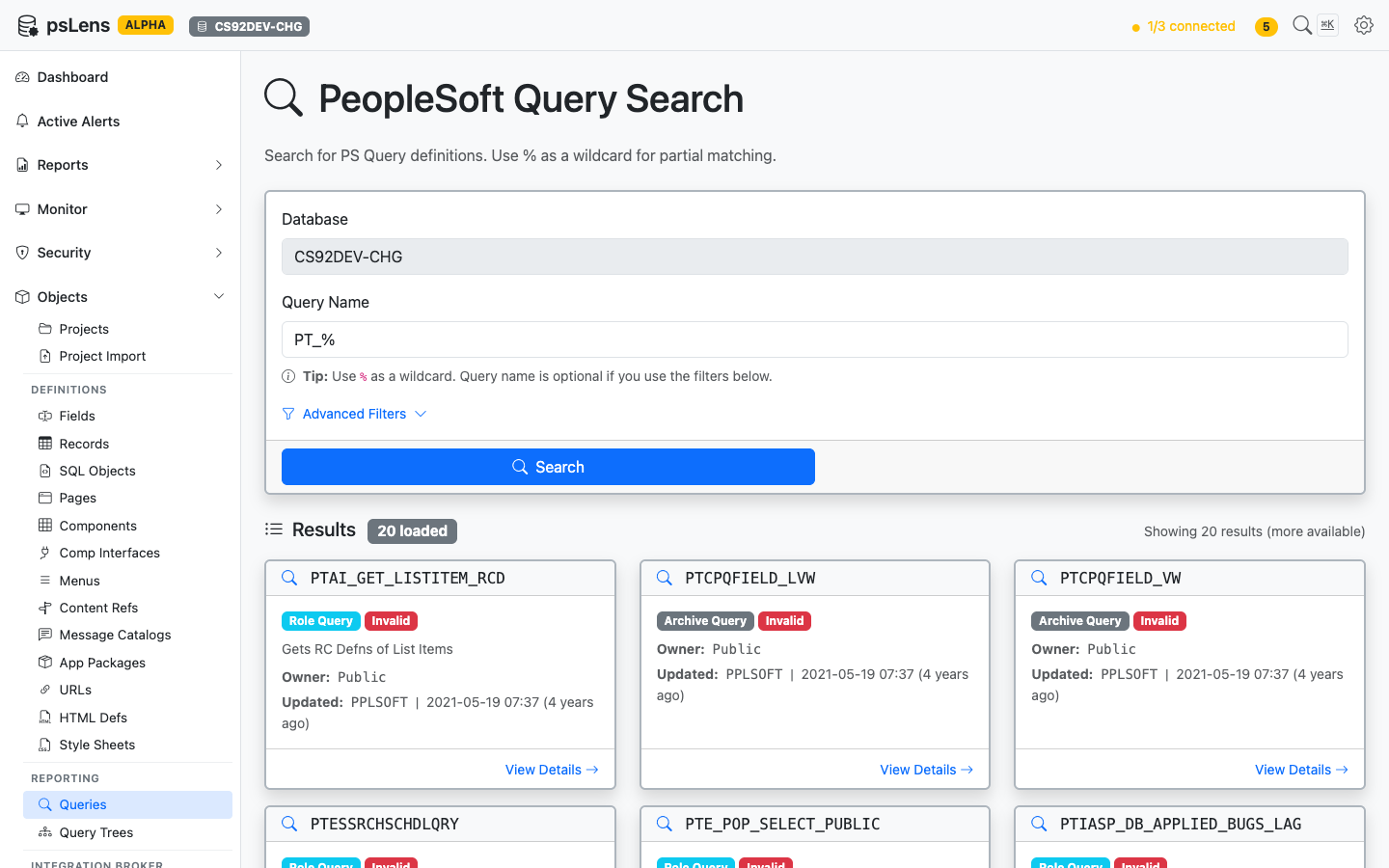
			alt="Query search results for PT_% showing PTAI_GET_LISTITEM_RCD, PTCPQFIELD_VW, and others"><figcaption>
			<p>Query search results for <code>PT_%</code></p>
		</figcaption>
</figure>


Search auto-matches as *starts with*. Typing `PT_` finds every query whose name begins with `PT_`. Include `%` yourself for ends-with (`%_VW`) or contains (`%AUDIT%`) patterns, or use `%` alone to list every row. Each card shows the query type (Public, Private, Archive, User), owner, and last-updated metadata. The **Advanced Filters** panel lets you filter by query type or owner.

## Detail Page

URL: `/queries/{QRYNAME}?db={database}`

<figure><img src="/images/screenshots/metadata/queries-detail.png"
			alt="Detail page for PTCPQFIELD_VW query"><figcaption>
			<p>Query detail page for <code>PTCPQFIELD_VW</code></p>
		</figcaption>
</figure>


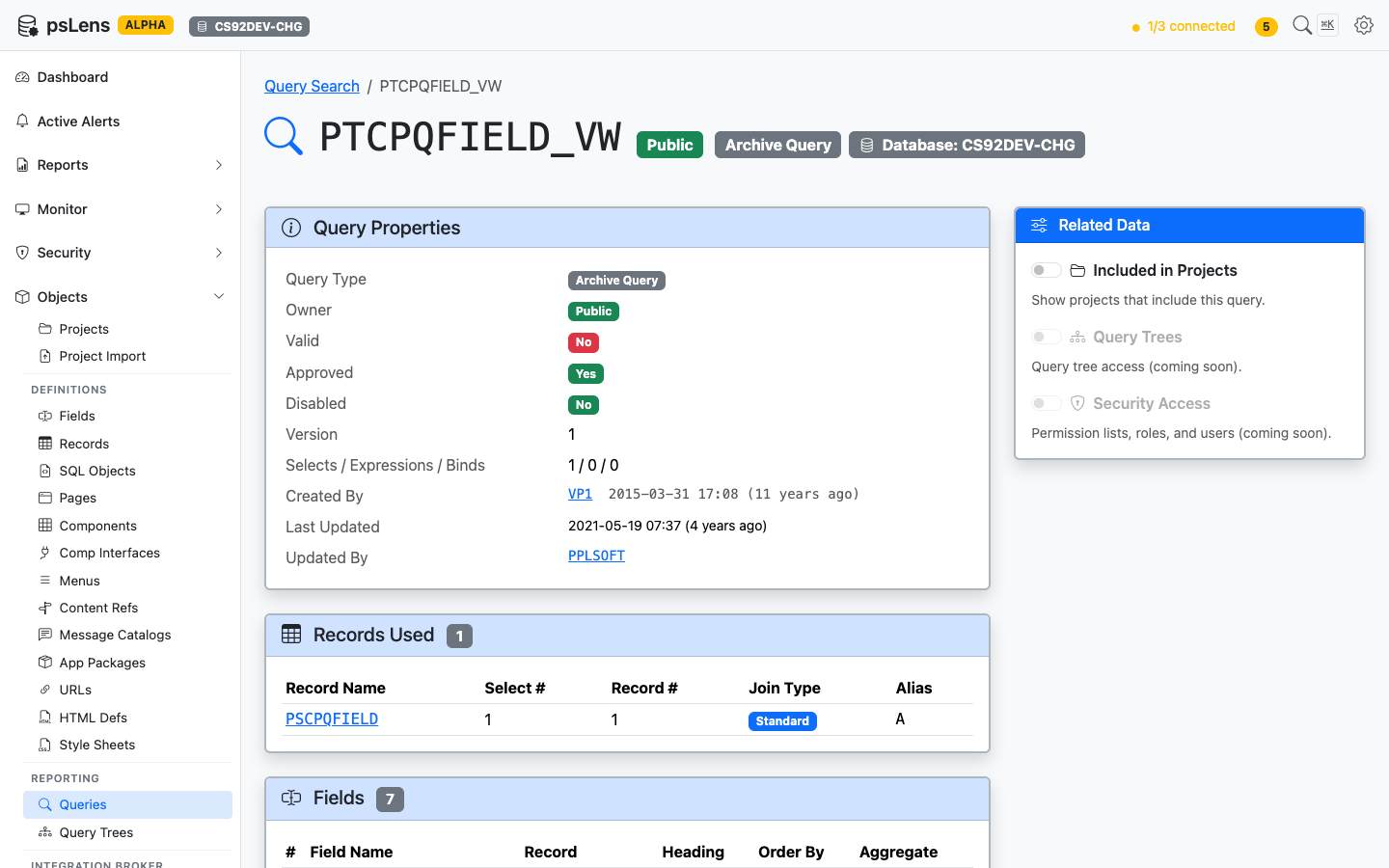
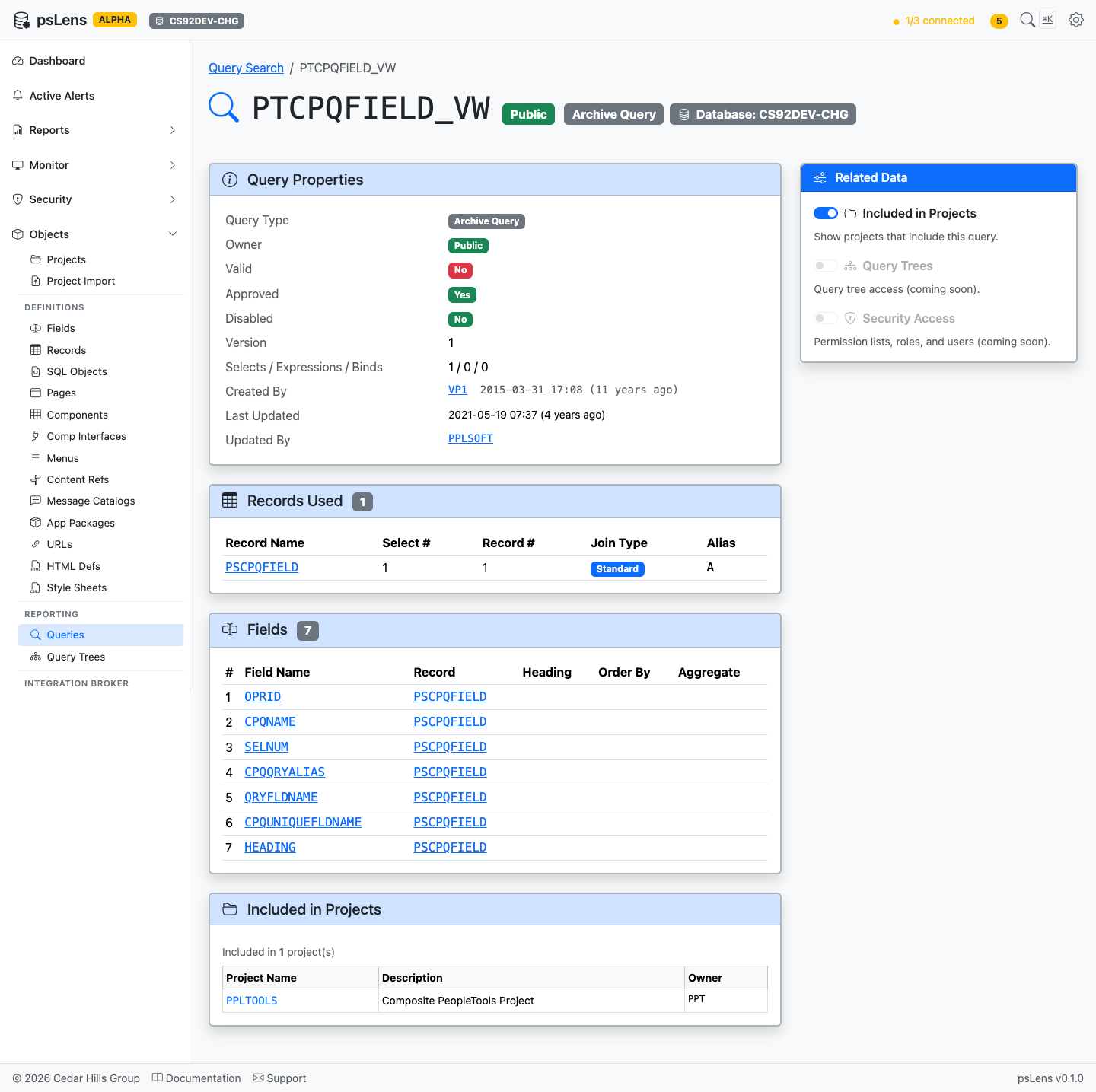
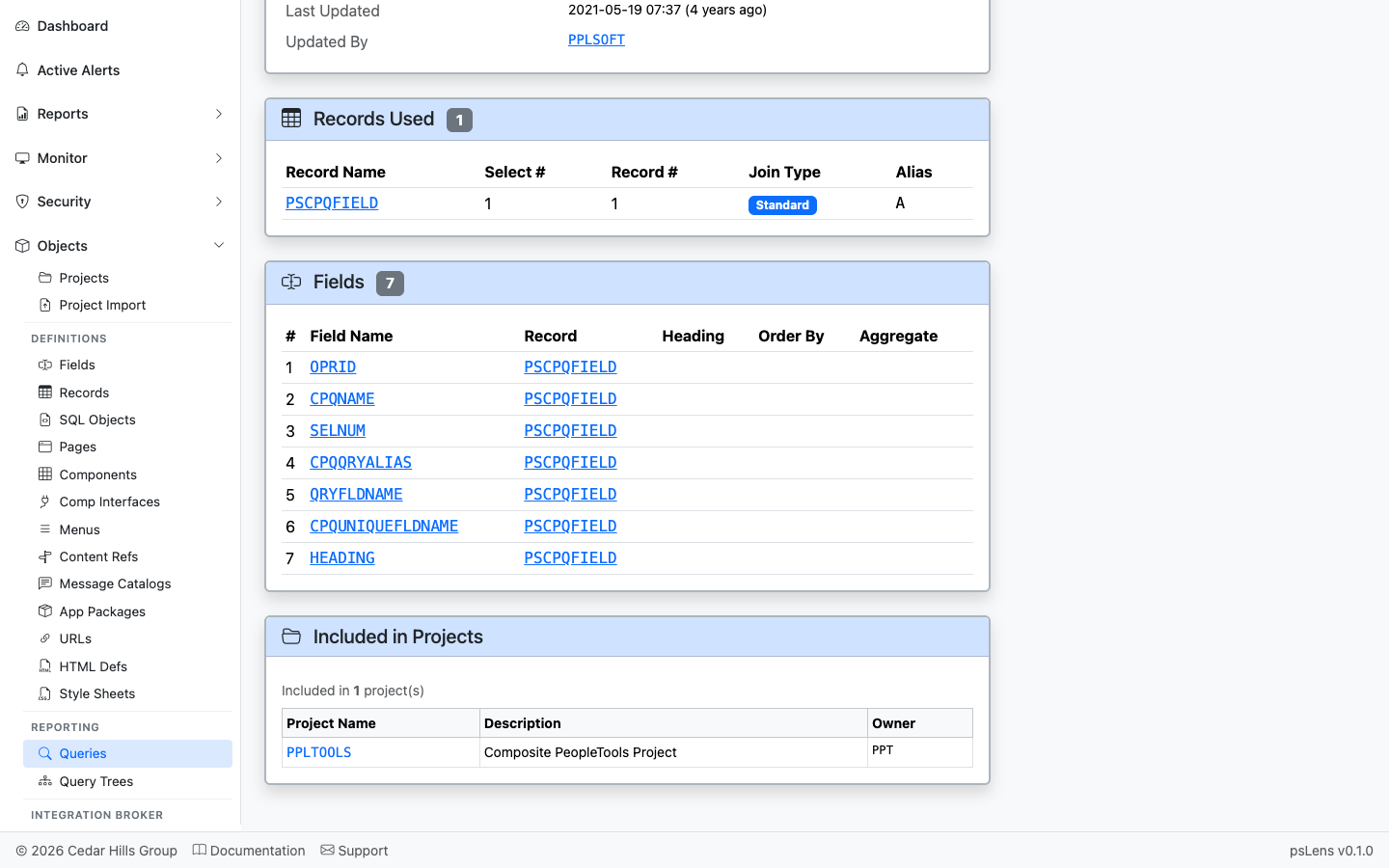
The main pane shows **Query Properties** (type, owner, description, last-run metadata, version), **Records Used** (every record in the FROM list), and **Fields** (the SELECT and ORDER BY columns). The sidebar has 3 related-data toggles.

<figure><img src="/images/screenshots/metadata/queries-detail-expanded.png"
			alt="Query detail page with all panels expanded"><figcaption>
			<p>Full query detail page with all panels</p>
		</figcaption>
</figure>


## Related Data Panels

### Records Used

<figure><img src="/images/screenshots/metadata/queries-panel-records.png"
			alt="Records Used panel for the query"><figcaption>
			<p>Every record in the query&rsquo;s FROM clause</p>
		</figcaption>
</figure>


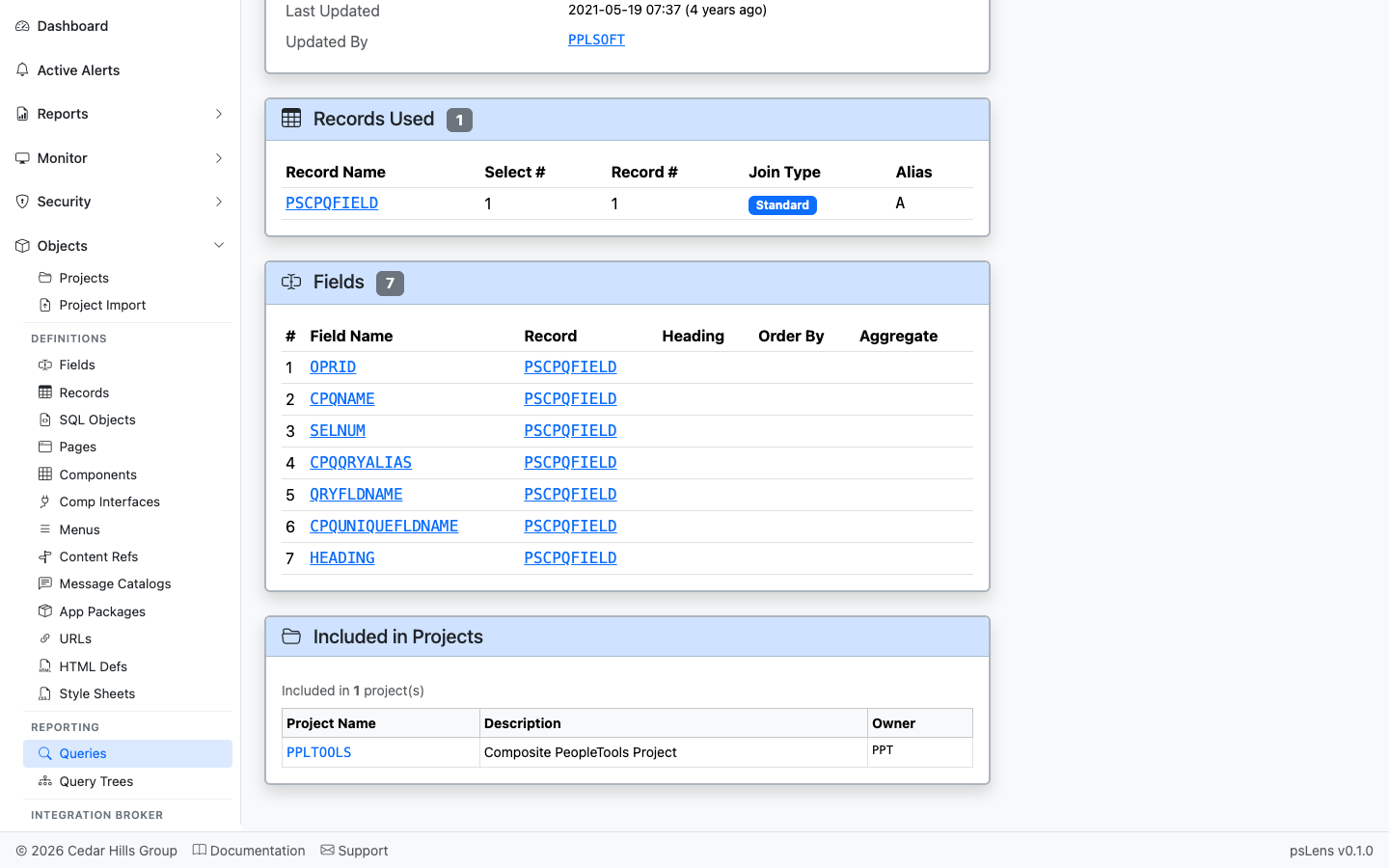
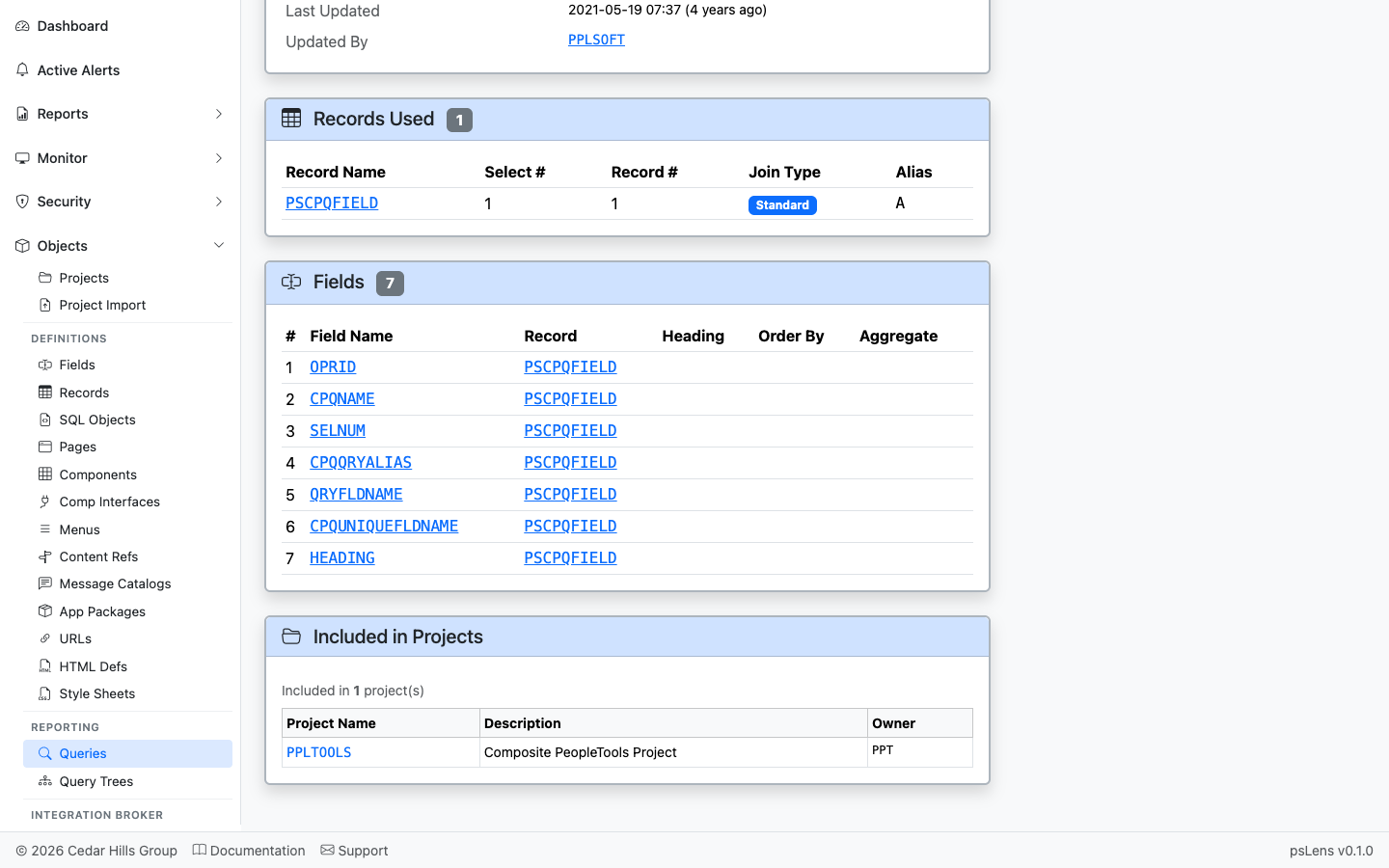
The list of records used by the query (`PSQRYRECORD`). Each record name deep-links into its own detail page so you can audit what the query reads.

### Fields

<figure><img src="/images/screenshots/metadata/queries-panel-fields.png"
			alt="Fields panel for the query"><figcaption>
			<p>The fields the query SELECTs, with record context and order</p>
		</figcaption>
</figure>


The SELECT field list (`PSQRYFIELD`) with record and field references, each link-resolved.

### Included in Projects

<figure><img src="/images/screenshots/metadata/queries-panel-projects.png"
			alt="Included in Projects panel for the query"><figcaption>
			<p>App Designer projects that include this query</p>
		</figcaption>
</figure>


App Designer projects containing this query as a project item.