# Query Trees

> Browse PeopleSoft Query Access Trees with record hierarchies and the permission lists that grant access.

---

Site [llms.txt](/llms.txt)

---

<div id="pslens-context-panel" class="card border-info mb-4 d-none">
  <div class="card-header bg-light text-info py-2 fw-bold d-flex align-items-center border-bottom border-info-subtle">
    <i class="bi bi-info-circle-fill me-2"></i>
    <span>Tailored Operational Context</span>
  </div>
  <div class="card-body p-0">
    <ul class="list-group list-group-flush">
      <li id="row-db" class="list-group-item d-flex align-items-center justify-content-between py-2 d-none">
        <strong>Target Database:</strong>
        <span id="ctx-db" class="badge bg-secondary font-monospace">&mdash;</span>
      </li>
      <li id="row-type" class="list-group-item d-flex align-items-center justify-content-between py-2 d-none">
        <strong>Context Type:</strong>
        <span id="ctx-type" class="badge bg-light text-dark border font-monospace text-uppercase">&mdash;</span>
      </li>
      <li id="row-severity" class="list-group-item d-flex align-items-center justify-content-between py-2 d-none">
        <strong>Alert Severity:</strong>
        <span id="ctx-severity" class="badge">&mdash;</span>
      </li>
      <li id="row-time" class="list-group-item d-flex align-items-center justify-content-between py-2 d-none">
        <strong>Triggered Time:</strong>
        <span id="ctx-time" class="text-muted small">&mdash;</span>
      </li>
      <li id="row-details" class="list-group-item py-2 d-none">
        <strong id="label-details" class="d-block mb-1">Firing Context:</strong>
        <code id="ctx-details" class="d-block p-2 bg-light border rounded small"
          style="white-space: pre-wrap; word-break: break-all;">&mdash;</code>
      </li>
      <li id="row-sql" class="list-group-item py-2 d-none">
        <div class="d-flex justify-content-between align-items-center mb-1">
          <strong id="label-sql">Contextual SQL:</strong>
          <button id="btn-copy-sql" type="button" class="btn btn-sm btn-outline-secondary py-0 px-2 small">
            <i class="bi bi-clipboard me-1"></i>Copy SQL
          </button>
        </div>
        <pre class="mb-0 p-2 bg-light border rounded small"><code id="ctx-sql" style="white-space: pre-wrap; word-break: break-word;">&mdash;</code></pre>
      </li>
    </ul>
  </div>
</div>

<script>
  (function () {
    const params = new URLSearchParams(window.location.search);
    const metadata = params.get('metadata');
    if (!metadata) return;

    try {
      
      const base64 = metadata.replace(/-/g, '+').replace(/_/g, '/');
      const jsonStr = decodeURIComponent(escape(window.atob(base64)));
      const data = JSON.parse(jsonStr);

      if (data) {
        let hasData = false;

        if (data.db) {
          document.getElementById('ctx-db').textContent = data.db;
          document.getElementById('row-db').classList.remove('d-none');
          hasData = true;
        }

        if (data.type) {
          document.getElementById('ctx-type').textContent = data.type;
          document.getElementById('row-type').classList.remove('d-none');
          hasData = true;
        }

        if (data.severity) {
          const severityBadge = document.getElementById('ctx-severity');
          const severity = data.severity.toLowerCase();
          severityBadge.textContent = severity.toUpperCase();
          if (severity === 'critical') {
            severityBadge.className = 'badge bg-danger';
          } else if (severity === 'warning') {
            severityBadge.className = 'badge bg-warning text-dark';
          } else {
            severityBadge.className = 'badge bg-info';
          }
          document.getElementById('row-severity').classList.remove('d-none');
          hasData = true;
        }

        if (data.t) {
          const date = new Date(data.t * 1000);
          document.getElementById('ctx-time').textContent = date.toLocaleString();
          document.getElementById('row-time').classList.remove('d-none');
          hasData = true;
        }

        if (data.details) {
          document.getElementById('ctx-details').textContent = data.details;

          
          const labelDetails = document.getElementById('label-details');
          if (data.type === 'object') {
            labelDetails.textContent = 'Object Metadata Details:';
          } else if (data.type === 'report') {
            labelDetails.textContent = 'Report Description:';
          } else {
            labelDetails.textContent = 'Firing Context:';
          }

          document.getElementById('row-details').classList.remove('d-none');
          hasData = true;
        }

        if (data.sql) {
          document.getElementById('ctx-sql').textContent = data.sql;
          document.getElementById('row-sql').classList.remove('d-none');
          const copyBtn = document.getElementById('btn-copy-sql');
          if (copyBtn && navigator.clipboard) {
            copyBtn.addEventListener('click', function () {
              navigator.clipboard.writeText(data.sql).then(function () {
                copyBtn.innerHTML = '<i class="bi bi-check2 me-1"></i>Copied';
                setTimeout(function () {
                  copyBtn.innerHTML = '<i class="bi bi-clipboard me-1"></i>Copy SQL';
                }, 2000);
              });
            });
          }
          hasData = true;
        }

        if (hasData) {
          document.getElementById('pslens-context-panel').classList.remove('d-none');
        }
      }
    } catch (e) {
      console.error('Failed to parse operational context metadata:', e);
    }
  })();
</script>

Query Access Trees are the security backbone of PeopleSoft Query — hierarchical groupings of records (`PSTREEDEFN` / `PSTREENODE`) that determine which records a Query author can build queries against. A permission list grants access to one or more access groups within a tree, and the Query Manager UI only lists records that fall under the granted nodes. psLens shows the tree's full record hierarchy and the permission lists that authorize it, combining what you'd otherwise need to assemble from Tree Manager and Permission List security separately.

## Object Relationships

Query Access Trees regulate reporting access to database records:

- **Groups Records Hierarchically**: Query Trees (`PSTREEDEFN`) arrange record definitions into nested access group nodes (`PSTREENODE`).
- **Secured by Permission Lists**: Permission lists are granted access to specific tree nodes to authorize users to query member records.

## How psLens Improves Query Tree Inspection

Auditing Query Access Trees in PIA requires expanding tree nodes branch by branch in Tree Manager, while checking permission list profiles separately to determine authorized users.

psLens presents the complete record hierarchy alongside permission lists, assigned roles, and authorized active/locked users in a single view.

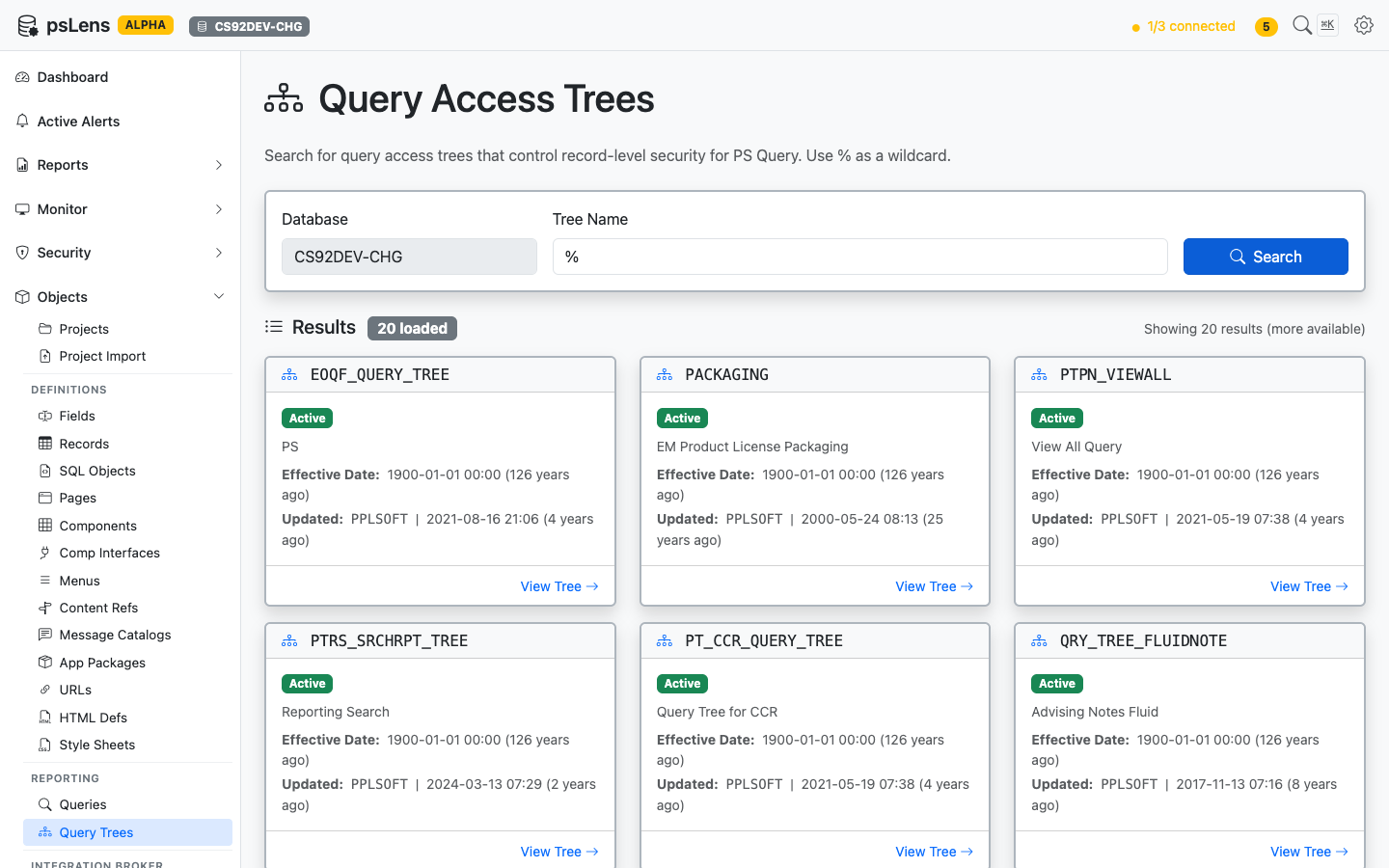
## Search Page

URL: `/querytrees?db={database}`

<figure><img src="/images/screenshots/metadata/query-trees-search.png"
			alt="Query Tree search results showing EOQF_QUERY_TREE, PACKAGING, PTPN_VIEWALL and others"><figcaption>
			<p>Query Tree search results</p>
		</figcaption>
</figure>


Search auto-matches as *starts with*. Typing `EOQF` finds every tree whose name begins with `EOQF`. Include `%` yourself for ends-with or contains patterns, or use `%` alone to list every query tree in the database.

## Detail Page

URL: `/querytrees/{TREE_NAME}?db={database}`

<figure><img src="/images/screenshots/metadata/query-trees-detail.png"
			alt="Detail page for EOQF_QUERY_TREE"><figcaption>
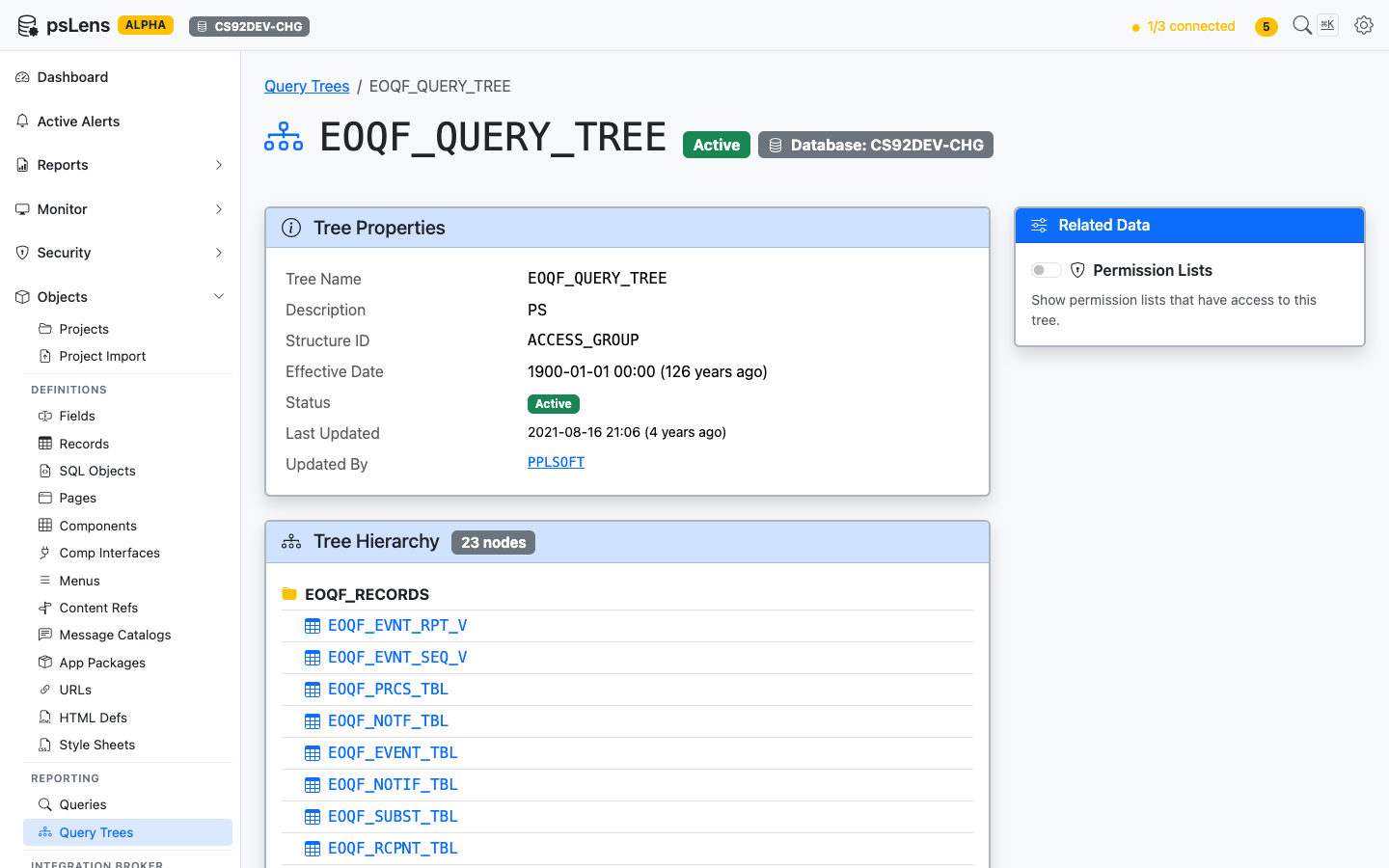
			<p>Query Tree detail page for <code>EOQF_QUERY_TREE</code></p>
		</figcaption>
</figure>


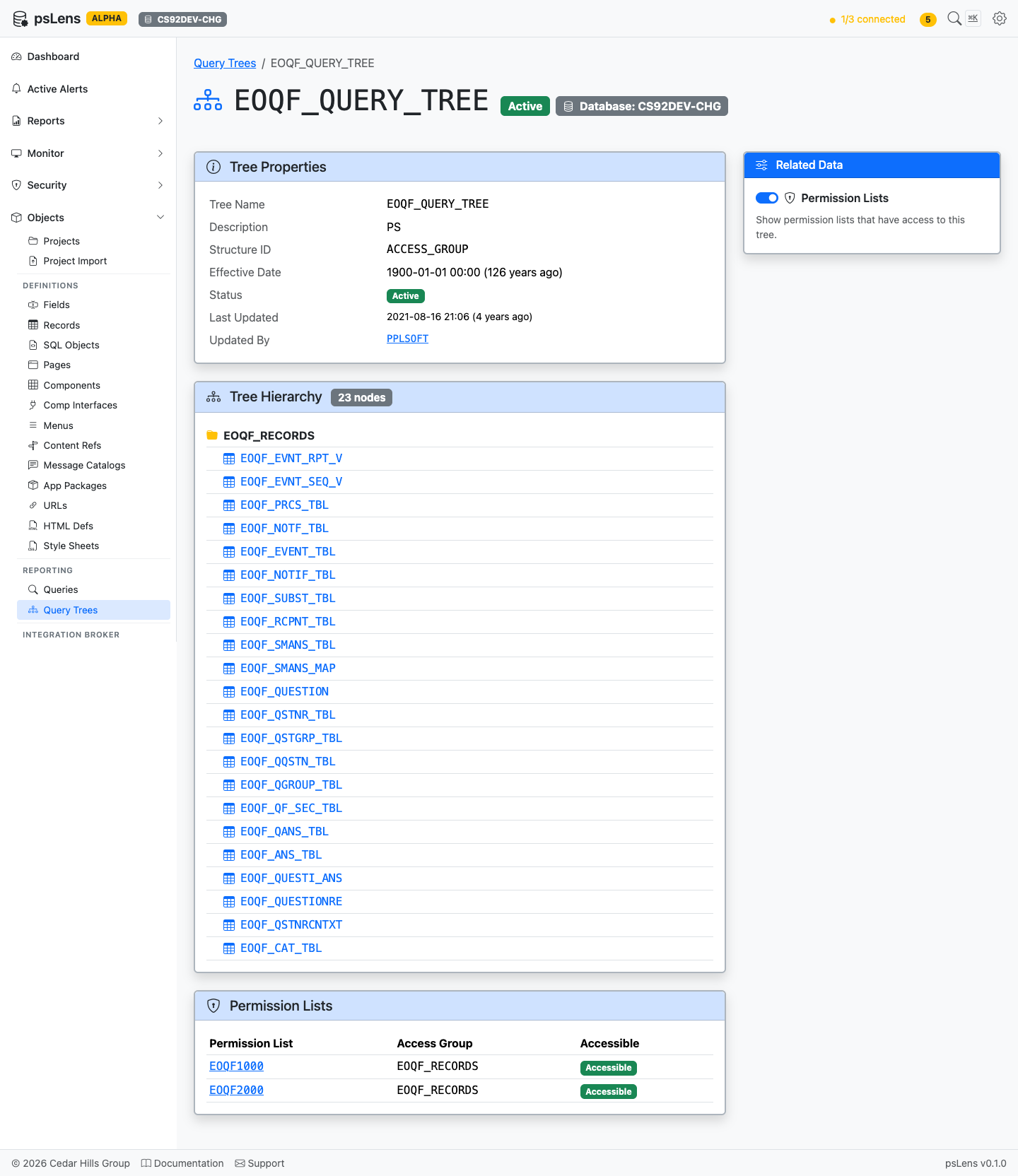
The main pane shows **Tree Properties** (status, version, audit metadata) and the full **Tree Hierarchy**, a recursive view of every node in the tree with the record name it grants access to. The sidebar has one related-data toggle.

<figure><img src="/images/screenshots/metadata/query-trees-detail-expanded.png"
			alt="Query Tree detail page with all panels expanded"><figcaption>
			<p>Full Query Tree page with the Permission Lists panel expanded</p>
		</figcaption>
</figure>


## Related Data Panels

### Tree Hierarchy

<figure><img src="/images/screenshots/metadata/query-trees-panel-hierarchy.png"
			alt="Tree Hierarchy panel"><figcaption>
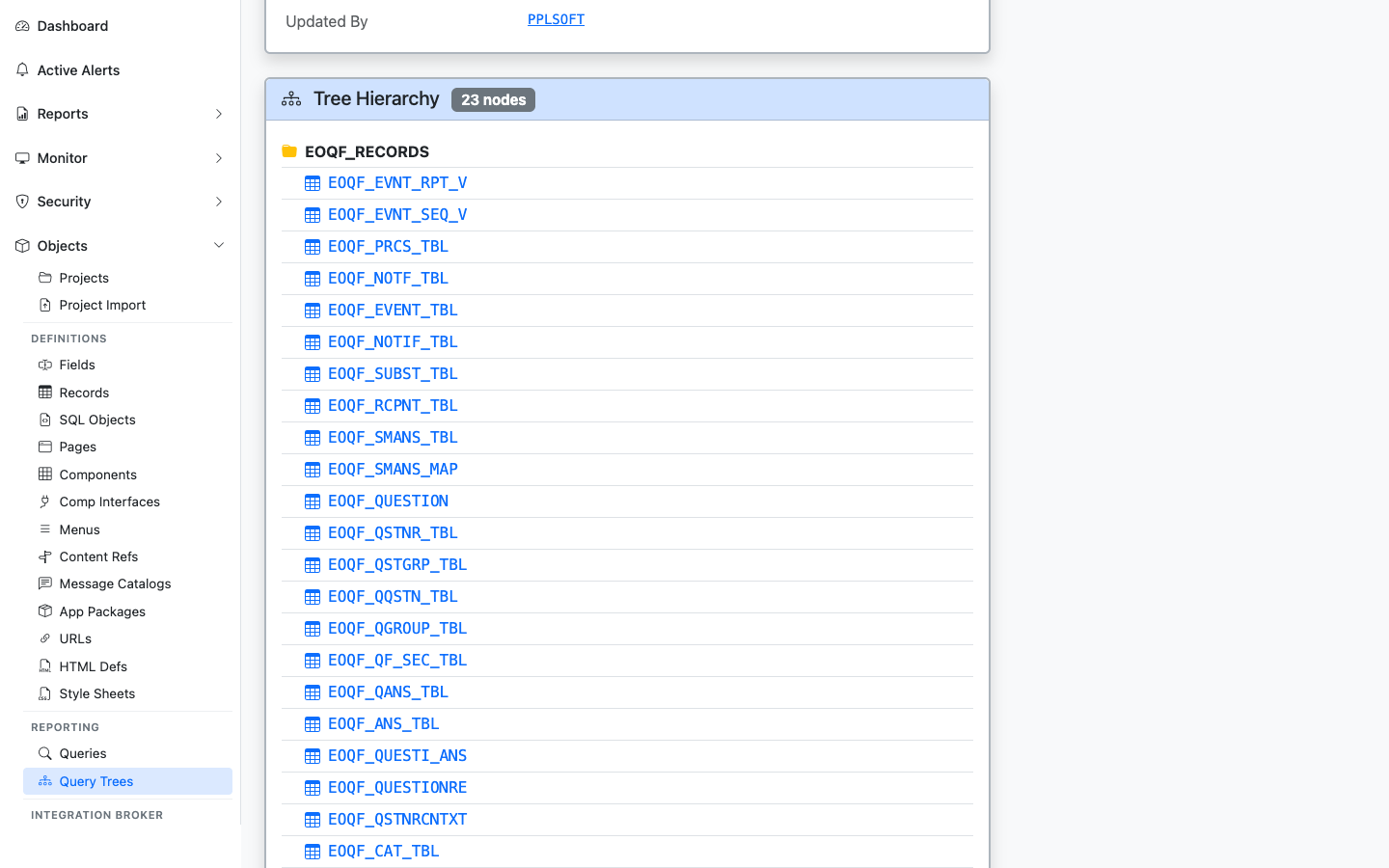
			<p>The full record hierarchy of the tree, with each record linked to its detail page</p>
		</figcaption>
</figure>


The recursive node-by-node breakdown of the tree. Each record link jumps into the record's detail page so you can see what data the tree grants query access to.

### Permission Lists

<figure><img src="/images/screenshots/metadata/query-trees-panel-perm-lists.png"
			alt="Permission Lists panel for the query tree"><figcaption>
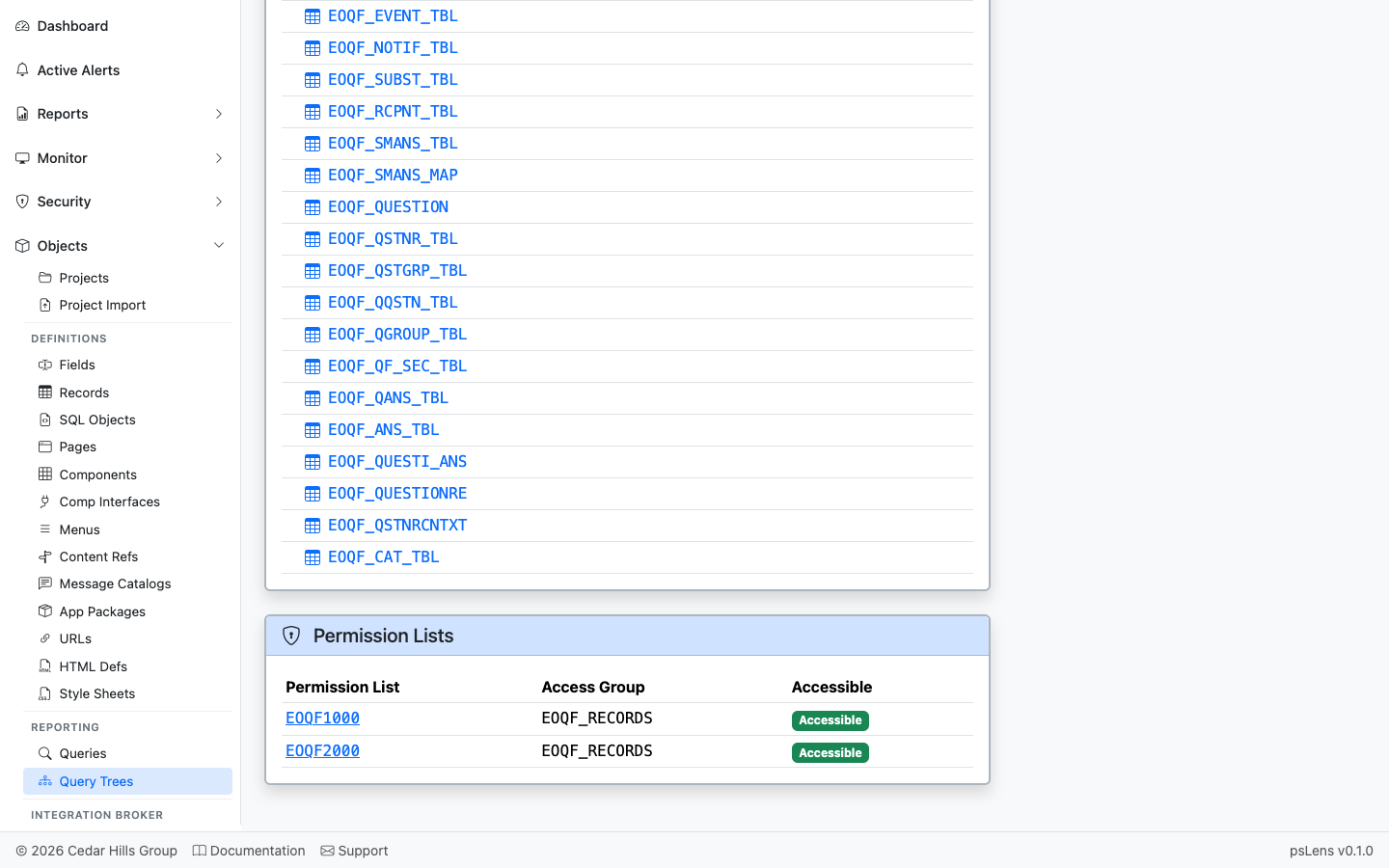
			<p>Permission lists with access to nodes in this tree</p>
		</figcaption>
</figure>


Permission lists that have been granted access to nodes in this tree.

### Roles

Roles that grant access to nodes in the tree, derived from the permission lists associated with each role.

### Users

Users who can access the query tree, detailing their status (Active or Locked), role, permission list, and access group grant level. Grants are annotated as Tree-level if they target the root node of the tree, and Node-level for sub-nodes.